
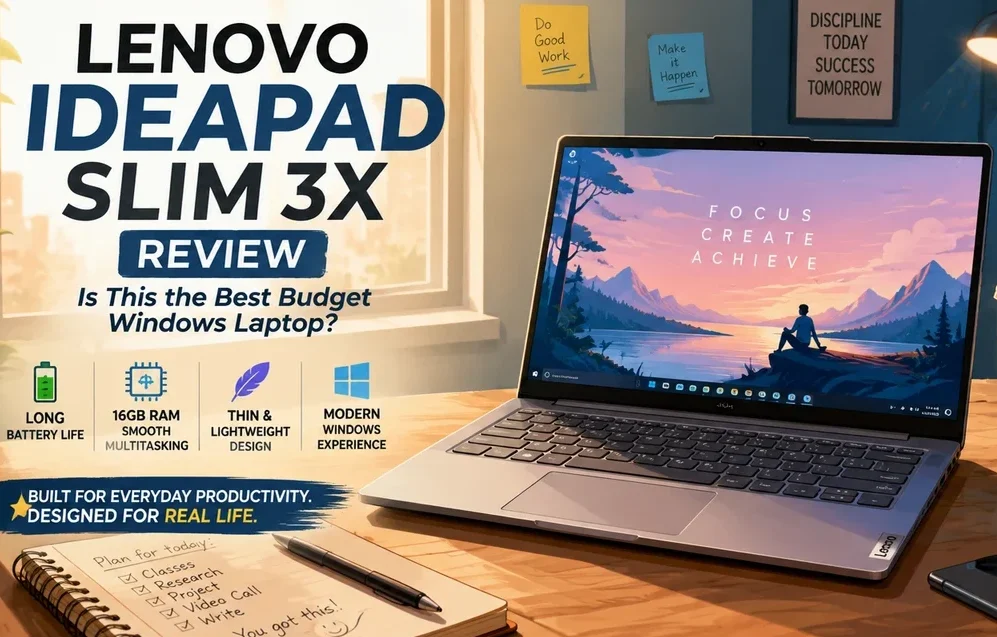
🔵 Lenovo IdeaPad Slim 3x Review (Is This the Best Budget Windows Laptop?)
Disclosure: As an Amazon Associate, Best Digital Nomad Gear earns from qualifying purchases. This does not affect our reviews or recommendations. We only recommend products we believe provide genuine value to our readers.
Budget laptops have changed dramatically over the past few years.
For a long time, buying a budget Windows laptop usually meant accepting compromises that quickly became frustrating. Slow performance, limited memory, weak battery life, loud cooling fans, and poor long-term usability were all considered “normal” at lower price points.
But modern buyers expect more now.
Students run multiple browser tabs while attending online classes. Remote workers jump between video calls, spreadsheets, email, cloud apps, and multitasking-heavy workflows every day. Even casual users expect smooth responsiveness from a laptop that may need to last several years.
That is exactly why the Lenovo IdeaPad Slim 3x stands out.
Instead of feeling like an outdated entry-level laptop built around minimum requirements, the Slim 3x feels much closer to the direction modern budget laptops are moving toward in 2026.
⚙️ Lenovo IdeaPad Slim 3x Specifications
| Specification | Lenovo IdeaPad Slim 3x |
|---|---|
| CPU | Qualcomm Snapdragon X X1-26-100 |
| Cores / Threads | 8 Cores / 8 Threads |
| Boost Clock | Up to 2.97GHz |
| GPU | Qualcomm Adreno Integrated Graphics |
| NPU | Qualcomm Hexagon NPU (45 TOPS AI Performance) |
| Memory | 16GB LPDDR5X |
| Storage | 512GB or 1TB PCIe Gen4 SSD |
| Display | 15.3-inch WUXGA (1920 × 1200) IPS Display |
| Aspect Ratio | 16:10 |
| Refresh Rate | 60Hz |
| Wireless | Wi-Fi 7 + Bluetooth 5.4 |
| Ports | 2× USB-A, 1× USB-C (Power Delivery + DisplayPort), HDMI 1.4, SD Card Reader, 3.5mm Audio Jack |
| Battery | 60Wh |
| Operating System | Windows 11 |
| Best For | Students, Remote Workers, Productivity Users, and Travelers |
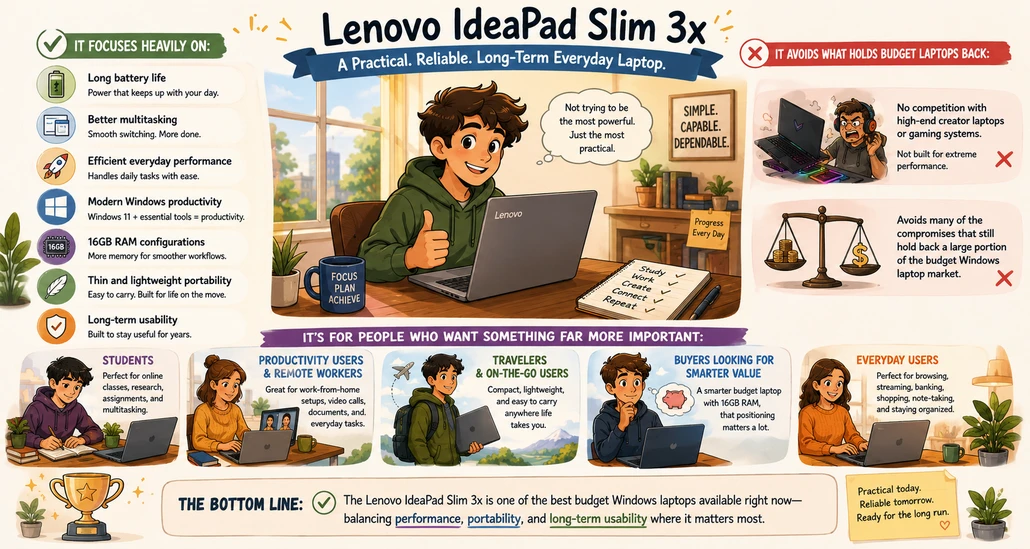
It focuses heavily on:
- Long battery life
- Better multitasking
- Efficient everyday performance
- Modern Windows productivity
- 16GB RAM configurations
- Thin and lightweight portability
- Long-term usability
And most importantly:
👉 it avoids many of the compromises that still hold back a large portion of the budget Windows laptop market.
The Lenovo IdeaPad Slim 3x is not trying to compete with high-end creator laptops or gaming systems.
Instead, it focuses on being something far more important for most people:
👉 a practical, reliable, long-term everyday laptop.
For students, productivity users, remote workers, travelers, and buyers looking for a smarter budget laptop with 16GB RAM, that positioning matters a lot.
So is the Lenovo IdeaPad Slim 3x actually one of the best budget Windows laptops available right now?
Let’s take a closer look.
✅🟠 Design, Portability, and Everyday Usability of the Lenovo IdeaPad Slim 3x
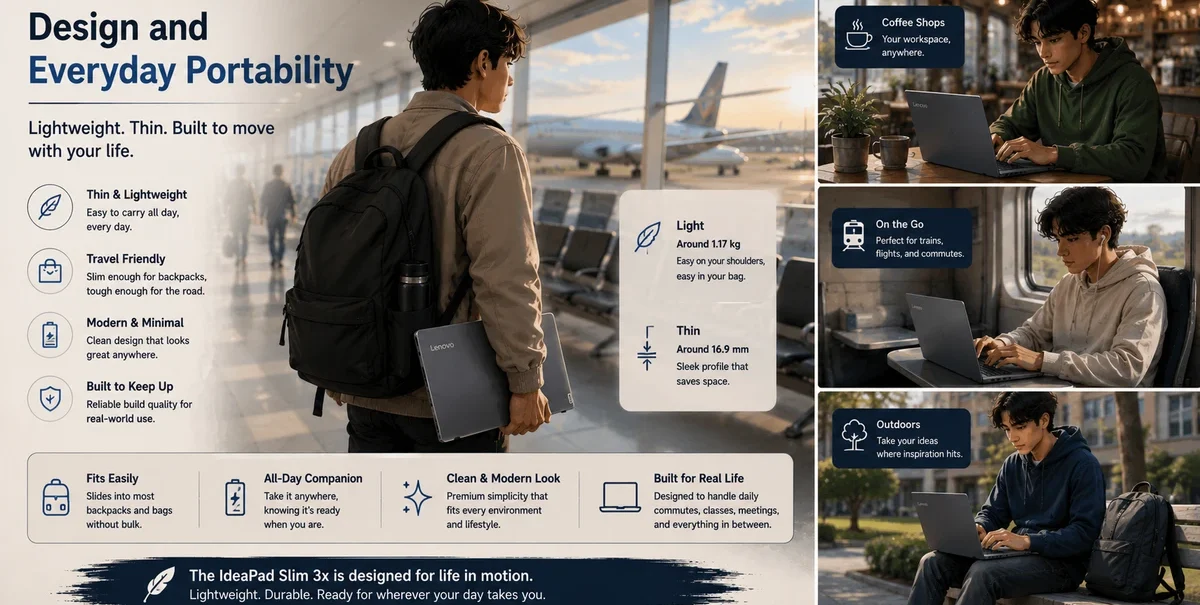
One of the first things that stands out about the Lenovo IdeaPad Slim 3x is that it does not immediately feel like a “cheap” budget laptop.
That matters more than many people realize.
Some lower-end laptops still feel bulky, outdated, or poorly designed even before you start using them. Thin bezels, lightweight construction, and cleaner modern designs are often reserved for more expensive systems.
The Slim 3x closes that gap surprisingly well.
The laptop feels:
- Slim and portable
- Comfortable for travel
- Easy to carry around campus or workspaces
- Modern rather than outdated
- More refined than many older budget laptops
This makes it especially appealing for:
- Students
- Travelers
- Hybrid workers
- Coffee shop productivity setups
- Remote work environments
The lightweight design also pairs extremely well with the laptop’s battery-focused efficiency.
Instead of feeling like a large productivity machine that constantly needs charging, the IdeaPad Slim 3x feels designed for mobility first - that is a very important difference.
While the Lenovo IdeaPad Slim 3x is slightly larger than the ultra-portable 13–14-inch laptops many frequent travelers prefer, it still works surprisingly well as a travel-friendly productivity machine.
The lightweight design, efficient battery-focused platform, and relatively slim chassis help offset the larger display size nicely.
In fact, some users may actually prefer the larger screen because it provides more comfortable multitasking space for productivity, remote work, research, writing, and entertainment while traveling.
It also fits comfortably within the size range supported by most standard laptop backpacks and sleeves, since many everyday laptop bags are already designed to accommodate devices up to 15.6 inches.
So while the Slim 3x does not fall directly into the ultra-compact travel laptop category, it still strikes a very practical balance between portability and everyday usability for many travelers, students, and hybrid workers.
🔵 Ports and Connectivity
One area where the Lenovo IdeaPad Slim 3x quietly becomes much more practical than many budget laptops is connectivity.
A lot of modern thin laptops are aggressively removing ports in favor of thinner designs, forcing users to rely on adapters and dongles for basic everyday tasks.
The IdeaPad Slim 3x takes a much more balanced approach.
Instead of trying to be the thinnest laptop possible, it focuses on something far more useful for everyday productivity:
👉 practical connectivity that works well in real life.
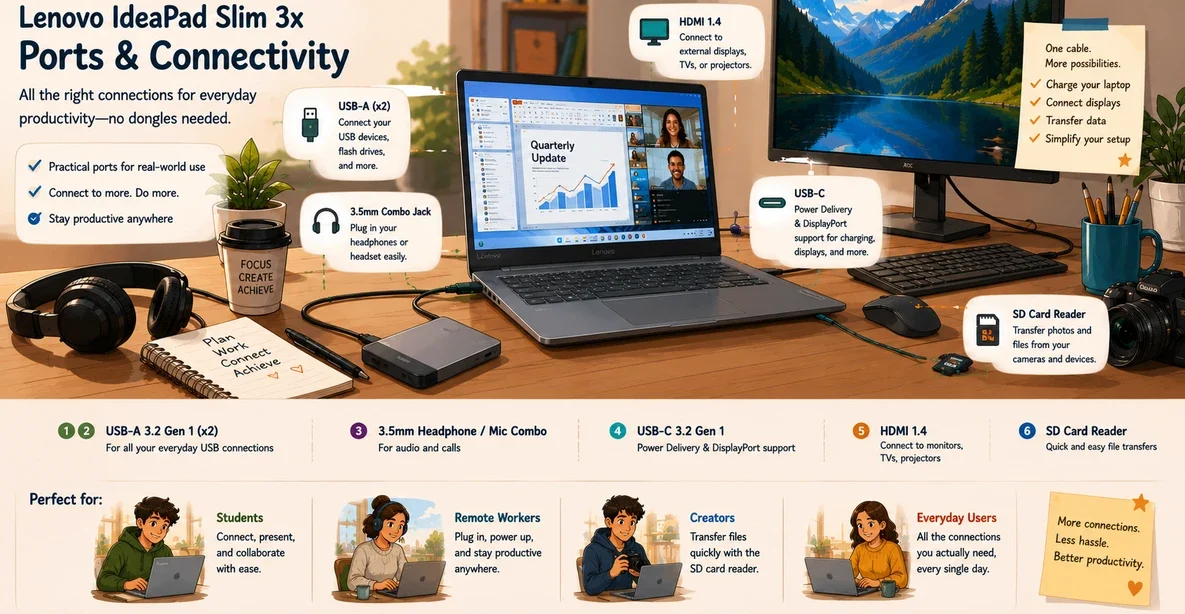
According to Lenovo’s official specifications, the IdeaPad Slim 3x includes:
- 2x USB-A ports
- 1x USB-C port with Power Delivery and DisplayPort support
- HDMI 1.4
- SD card reader
- 3.5mm headphone / microphone combo jack
That combination matters more than many people realize.
For students, it means:
- connecting flash drives easily
- plugging into classroom projectors
- using wired accessories without adapters
For remote workers, it means:
- connecting external monitors
- handling video calls comfortably
- using keyboards, mice, and USB devices without dongle frustration
And for everyday users, it simply makes the laptop easier to live with long term.
The inclusion of USB-C with DisplayPort and Power Delivery support is especially useful because it allows:
- charging flexibility
- external display support
- cleaner desk setups
- easier docking workflows
At the same time, the SD card reader is still surprisingly valuable for:
- photographers
- content creators
- transferring files from cameras and devices
Importantly, Lenovo did not overload the device with unnecessary ports either.
The setup feels balanced:
- modern enough for newer workflows
- practical enough for everyday convenience
That balance fits the entire philosophy of the IdeaPad Slim 3x very well.
It is not trying to be an ultra-premium creator workstation.
Instead, it focuses on giving everyday users the ports and connectivity most people actually use regularly.
🟢 Why 16GB RAM Matters So Much in Budget Laptops
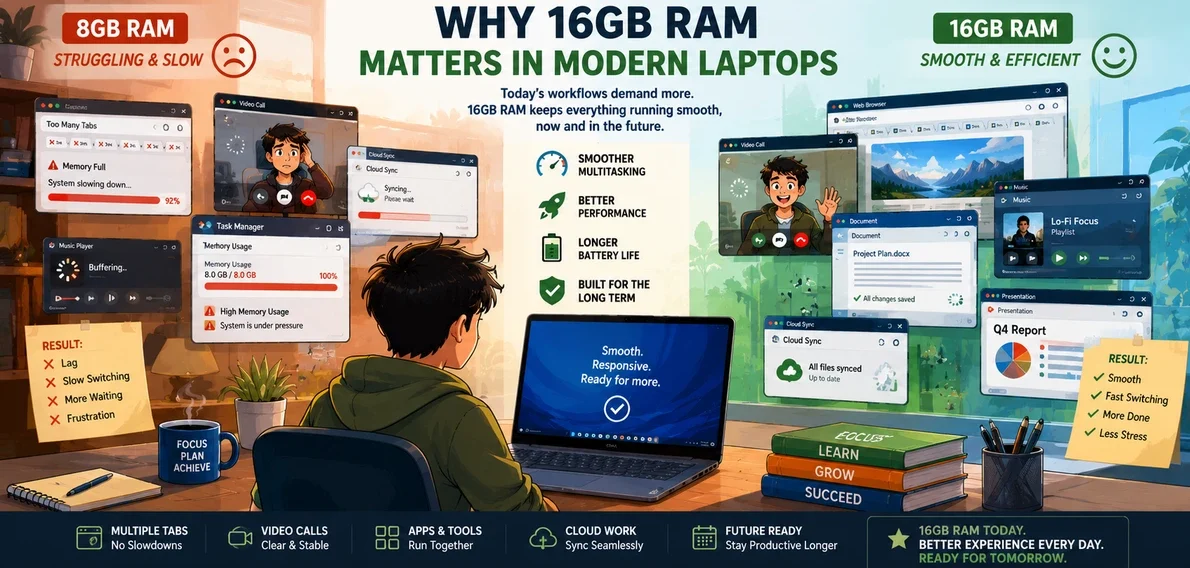
This is one of the biggest reasons why the Lenovo IdeaPad Slim 3x becomes such a strong modern budget laptop.
Many entry-level laptops still ship with only 8GB of RAM.
While 8GB may technically still work for lighter tasks, modern Windows usage has changed significantly.
Today, even normal workflows often include:
- Multiple browser tabs
- Cloud applications
- Streaming music or video
- Background syncing
- Messaging apps
- Video calls
- AI-assisted Windows features
- Productivity multitasking
Over time, 8GB systems can begin to feel increasingly restrictive.
That is why 16GB RAM configurations are becoming one of the smartest long-term decisions buyers can make in the budget laptop category.
The Lenovo IdeaPad Slim 3x benefits heavily from this.
Instead of feeling like a laptop that only handles “basic tasks,” it feels capable of managing realistic modern workloads much more comfortably.
This becomes especially important for:
- Students juggling assignments and research
- Remote workers multitasking throughout the day
- Productivity users with browser-heavy workflows
- Buyers planning to keep their laptop for several years
And importantly:
👉 this is one of the biggest gaps many budget laptop reviews still fail to discuss properly.
Some reviews focus heavily on synthetic benchmark numbers while barely discussing long-term usability.
But for most buyers, long-term responsiveness matters far more.
That is where the Slim 3x becomes very compelling.
👉 If you’re considering the IdeaPad Slim 3x, I would strongly recommend comparing the available configurations and prioritizing a 16GB RAM model whenever possible.
🟡 Performance for Everyday Productivity
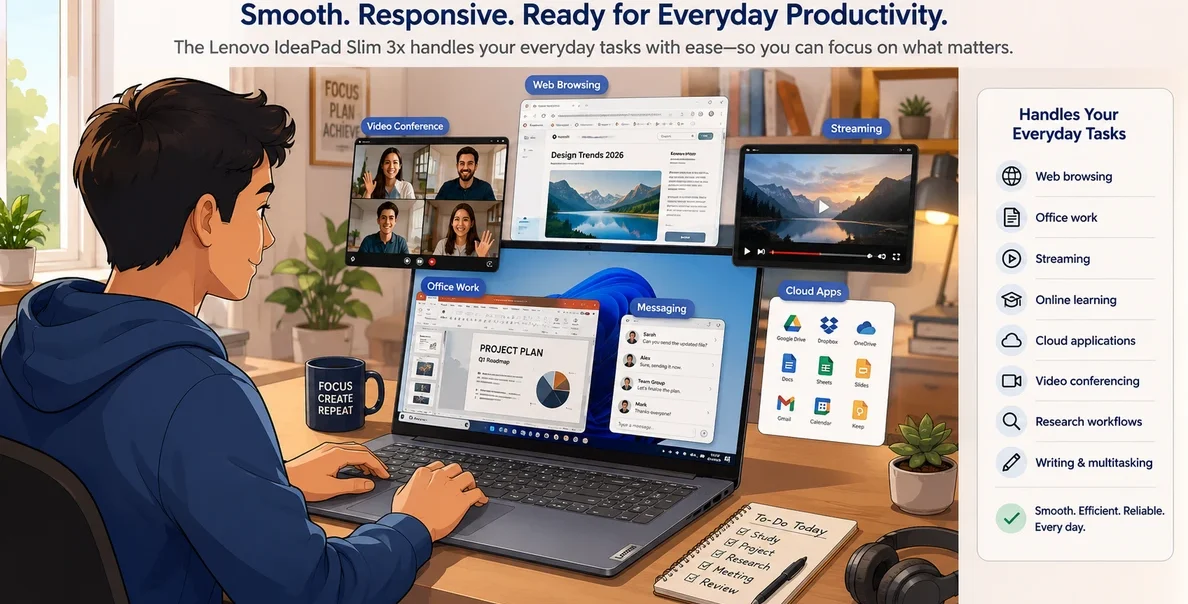
The Lenovo IdeaPad Slim 3x is not trying to be a high-performance workstation.
And honestly, that is completely fine.
Most buyers in this category are not editing large 8K video projects or running advanced gaming workloads.
Instead, they want a laptop that feels:
- Smooth
- Responsive
- Efficient
- Reliable
- Quiet
- Easy to use every day
That is exactly where the Slim 3x performs well.
For everyday productivity tasks, the laptop handles:
- Web browsing
- Office work
- Streaming
- Online learning
- Cloud applications
- Video conferencing
- Research workflows
- Writing and multitasking
very comfortably.
The Snapdragon-focused efficiency approach also helps create a smoother low-power experience compared to many older budget Windows laptops.
Rather than constantly feeling like the system is struggling under light multitasking, the overall experience feels more optimized for modern lightweight productivity. That matters a lot for long daily usage sessions.
Most everyday Windows applications now work very well on Snapdragon-based laptops, although some older or specialized software may still perform better on traditional x86 systems. For most students, productivity users, and everyday workflows, however, compatibility limitations are becoming far less noticeable than they were on earlier ARM-based Windows devices.
✅🟣 Lenovo IdeaPad Slim 3x Battery Life Is One of Its Biggest Strengths

Battery life has become one of the most important parts of modern laptop buying.
And this is another area where the Lenovo IdeaPad Slim 3x stands out strongly.
Many traditional budget laptops still struggle with battery efficiency.
Some may offer acceptable performance, but they often sacrifice portability and long-term unplugged usage in the process.
The Slim 3x takes a different approach.
The Snapdragon-focused platform heavily prioritizes efficiency, which helps the laptop deliver:
- Longer unplugged usage
- Better travel flexibility
- Less charging anxiety
- Improved mobility
- Cooler operation
- Better productivity away from outlets
In lighter workloads like web browsing, writing, streaming, and everyday productivity tasks, many users can realistically expect somewhere around 14–16 hours of battery life depending on brightness levels and usage patterns.
More demanding mixed workloads involving video calls, heavier multitasking, large browser sessions, and higher screen brightness will reduce battery life more noticeably, with more realistic everyday productivity usage often landing closer to the 6–10 hour range.
That balance is important because real-world battery life varies heavily depending on how the laptop is actually used rather than ideal manufacturer testing conditions.
For students attending classes all day or remote workers moving between locations, this becomes extremely valuable.
Instead of constantly carrying a charger or searching for power outlets, the laptop feels far more travel-friendly.
This also makes it a very strong option for:
- Digital nomads
- Frequent travelers
- Coffee shop work setups
- University students
- Hybrid work environments
Long battery life is no longer a luxury feature.
For many buyers now, it is becoming a major quality-of-life feature.
🟠 Is the Lenovo IdeaPad Slim 3x Good for Students?

Yes — and honestly, students are probably one of the best target audiences for this laptop.
A good student laptop needs to balance:
- Battery life
- Portability
- Multitasking
- Reliability
- Long-term value
- Comfortable everyday performance
The IdeaPad Slim 3x checks most of those boxes very well.
The lightweight design helps with portability between classes, while the 16GB RAM configurations create a much smoother multitasking experience than many older entry-level laptops.
That becomes especially important when students are:
- Researching online
- Writing assignments
- Joining video lectures
- Running productivity apps
- Managing large browser sessions
- Multitasking throughout the day
And unlike many ultra-budget laptops that begin to feel slow relatively quickly, the Slim 3x feels far more future-focused.
That long-term usability angle matters.
Especially for buyers who may need their laptop to remain useful for several years.
🔵 Is the Lenovo IdeaPad Slim 3x Good for Remote Work?

For remote work and everyday productivity, the IdeaPad Slim 3x makes a lot of sense. Buyers looking for a more premium business-focused alternative may also want to read our ThinkPad T14s Gen 7 Review.
Modern remote work usually involves constant multitasking.
Typical workflows include:
- Browser tabs
- Video calls
- Cloud tools
- Messaging apps
- Document editing
- Streaming
- Spreadsheets
That kind of workflow benefits heavily from:
- Good memory management
- Efficient multitasking
- Strong battery life
- Lightweight portability
- Quiet operation
And this is where the Slim 3x performs very well for its category.
It feels much closer to a practical productivity laptop than a bare-minimum budget machine.
That distinction is important.
A lot of cheaper laptops technically “work,” but they do not necessarily provide a comfortable long-term workflow experience.
The Lenovo IdeaPad Slim 3x instead feels designed around practical long-term everyday workflows.
✅🟢 Lenovo IdeaPad Slim 3x Is a Strong MacBook Neo Alternative

For buyers looking for a MacBook Neo alternative, the Lenovo IdeaPad Slim 3x becomes very interesting.
This does not mean the laptop is “better” for every user.
Apple still offers strong advantages in:
- Ecosystem integration
- macOS optimization
- Build quality consistency
- Software ecosystem stability
But the Slim 3x offers a different type of value.
And for many budget-focused buyers, that difference matters.
The biggest advantage is flexibility.
Compared to many entry-level laptops that prioritize minimum hardware configurations, the Slim 3x feels much more aligned with modern multitasking expectations.
The 16GB RAM configurations especially help strengthen its long-term usability.
For users who prioritize:
- Multitasking
- Productivity flexibility
- Windows compatibility
- Long-term everyday responsiveness
- Better memory configurations
…the IdeaPad Slim 3x becomes a very compelling alternative.
And importantly:
👉 it does this without trying to imitate premium creator laptops.
Instead, it focuses on practical real-world value.
That is exactly why it works so well in this category.
🟡 What the Lenovo IdeaPad Slim 3x Is NOT Designed For

One of the biggest mistakes buyers make with budget laptops is expecting them to handle workloads they were never actually designed for.
The Lenovo IdeaPad Slim 3x is built primarily around efficiency, portability, battery life, and everyday productivity.
That means it is excellent for:
- Students
- Remote work
- Web browsing
- Everyday long-term usage
- Productivity tasks
- Streaming
- Multitasking
But there are still some workloads where a higher-performance laptop would make more sense.
The Slim 3x is not designed for:
- Heavy AAA gaming
- Advanced 3D rendering
- Large professional video editing projects
- High-end workstation tasks
- Intensive GPU-heavy creator workflows
And while Windows on ARM compatibility has improved significantly, some specialized software and older applications may still run better on traditional x86-based systems depending on the workload.
That does not make the laptop “bad.”
It simply means the IdeaPad Slim 3x is focused on being a highly efficient everyday productivity machine rather than an all-purpose high-performance workstation.
And honestly, that clarity is important.
A laptop becomes far easier to recommend when buyers understand exactly what it is designed to do well — and what it is not trying to be.
🟣 How Long Will the Lenovo IdeaPad Slim 3x Realistically Last?

Laptop longevity is one of the most important parts of buying a budget system, yet it is also one of the most overlooked topics in many reviews.
A laptop that feels fast during the first few weeks of ownership is not necessarily a laptop that will still feel comfortable several years later.
That is one of the reasons the Lenovo IdeaPad Slim 3x stands out more than many traditional budget laptops.
The combination of:
- 16GB RAM
- SSD storage
- Efficient modern hardware
- Lightweight productivity-focused performance
- Better multitasking capability
helps give the laptop a much stronger long-term usability foundation than many older entry-level systems.
For lighter everyday workloads like:
- Web browsing
- School work
- Office productivity
- Streaming
- Video calls
- Cloud applications
- Everyday multitasking
…the Slim 3x should realistically remain comfortable for several years for most users.
That does not mean the laptop is completely future-proof.
Software requirements will continue evolving over time, and heavier workloads may eventually push buyers toward more powerful systems later on.
But compared to many lower-end budget laptops that already feel limited on day one, the IdeaPad Slim 3x feels much better positioned for long-term everyday usability.
And honestly, that matters far more for most buyers than chasing short-term benchmark numbers.
🟠 What Everyday Usage Actually Looks Like on the IdeaPad Slim 3x

A lot of laptop reviews focus heavily on benchmark numbers without explaining what everyday usage actually feels like in real-world situations.
For most buyers, that practical experience matters far more.
The Lenovo IdeaPad Slim 3x is designed around the kind of workflows many students, remote workers, and everyday users actually deal with every day.
A typical workload might include:
- 15–30 browser tabs open
- YouTube or Spotify running in the background
- Google Docs or Microsoft Office applications
- Messaging apps like WhatsApp, Slack, or Teams
- Cloud syncing
- Video calls
- Research workflows
- Light photo editing
- Streaming during breaks
That is the type of environment where the Slim 3x feels most comfortable.
Instead of focusing purely on peak performance numbers, the laptop prioritizes smoother everyday responsiveness, better efficiency, and more comfortable long-term multitasking.
And honestly, that is a much more realistic representation of how many people actually use their laptops today.
For buyers looking for a practical productivity-focused system rather than a benchmark-focused machine, the IdeaPad Slim 3x makes a lot of sense.
🔵 Who Should Buy the Lenovo IdeaPad Slim 3x?

The Lenovo IdeaPad Slim 3x is best suited for buyers who want:
- A modern budget Windows laptop
- Better long-term usability
- Strong battery life
- Lightweight portability
- Productivity-focused performance
- Smooth multitasking
- A laptop for school or remote work
- A practical everyday system
It makes especially good sense for:
- Students
- Remote workers
- Travelers
- Everyday productivity users
- Buyers replacing aging laptops
- People prioritizing long-term value
This is not a gaming laptop.
It is also not a heavy creator workstation.
Instead, it focuses on delivering a balanced modern productivity experience.
And honestly, that is exactly what many buyers actually need.
👉 Students, remote workers, and everyday productivity users can check current Lenovo IdeaPad Slim 3x pricing and available configurations on Amazon.
🟢 Final Verdict
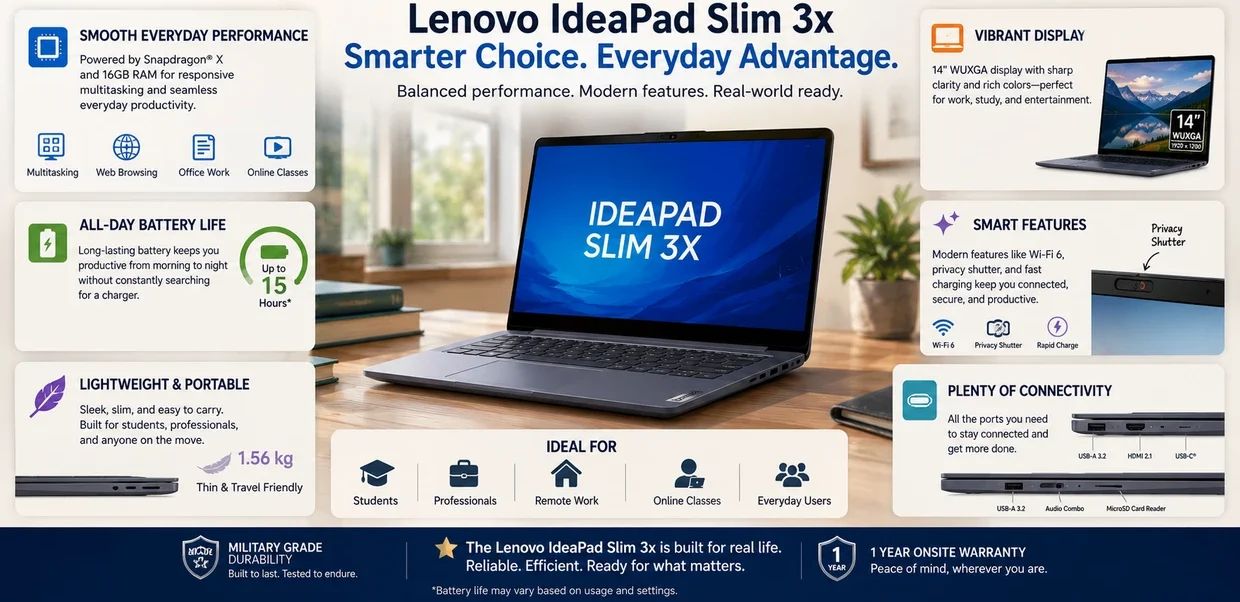
The Lenovo IdeaPad Slim 3x represents something very important in the modern laptop market.
It shows that budget Windows laptops no longer need to feel like compromised short-term devices built around minimum hardware expectations.
Instead, the Slim 3x feels much closer to what modern everyday laptops should actually prioritize:
- Better multitasking
- Strong battery life
- Long-term usability
- Lightweight portability
- Comfortable everyday productivity
- More practical memory configurations
The focus on 16GB RAM configurations is especially important.
As modern Windows workflows continue becoming more multitasking-heavy, memory limitations are becoming one of the biggest long-term frustrations in entry-level laptops.
The IdeaPad Slim 3x avoids much of that problem.
And that alone makes it stand out strongly in the budget laptop category.
For students, remote workers, productivity users, travelers, and buyers looking for a practical long-term budget Windows laptop, the Lenovo IdeaPad Slim 3x becomes one of the most balanced options available right now.
It is not trying to be flashy.
It is trying to be useful.
And honestly, that is exactly why it works so well.
👉 You can check current Lenovo IdeaPad Slim 3x pricing, specifications and available 16GB configurations on Amazon.
🟠 Frequently Asked Questions

❓🔵 Is the Lenovo IdeaPad Slim 3x good for students?
Yes.
The Lenovo IdeaPad Slim 3x is one of the better modern budget laptops for students who prioritize battery life, portability, multitasking, and long-term usability.
The lightweight design and 16GB RAM configurations make it especially well-suited for research, assignments, browser-heavy workflows, and everyday school productivity.
❓🟢 Is 16GB RAM worth it in a budget laptop?
For many buyers, yes.
Modern Windows workflows often involve heavy browser usage, cloud applications, video calls, multitasking, and background applications running simultaneously.
A 16GB configuration generally provides a much more comfortable long-term experience than many older 8GB budget laptops.
❓🟡 Can the Lenovo IdeaPad Slim 3x handle multitasking?
Yes.
The IdeaPad Slim 3x is designed much more around everyday productivity and multitasking than many traditional entry-level laptops.
Tasks like running multiple browser tabs, office applications, messaging apps, streaming, and video conferencing simultaneously are handled far more comfortably than on many older budget systems.
❓🟣 Is the Lenovo IdeaPad Slim 3x good for gaming?
Not really.
The Lenovo IdeaPad Slim 3x is designed primarily for efficiency, portability, battery life, and productivity rather than high-performance gaming.
Casual lighter games may still run, but buyers interested in modern AAA gaming or GPU-heavy workloads would be better served by a dedicated gaming laptop.
❓🟠 How long does the Lenovo IdeaPad Slim 3x battery last?
Battery life varies.
Depending on brightness levels, workloads, browser usage, and multitasking.
In lighter everyday productivity workloads, many users can realistically expect battery life that comfortably lasts through a typical work or school day, while heavier mixed usage will reduce overall runtime more noticeably.
❓🔵 Is the Lenovo IdeaPad Slim 3x a good MacBook Neo alternative?
For many buyers, yes.
For buyers who prefer Windows compatibility, stronger multitasking flexibility, and practical long-term everyday usability, the Lenovo IdeaPad Slim 3x can be a very strong MacBook Neo alternative.
The two laptops still target somewhat different ecosystems and user preferences, but the Slim 3x offers a compelling value-focused Windows option for productivity-focused users.
❓🟢 What ports does the Lenovo IdeaPad Slim 3x have?
The Lenovo IdeaPad Slim 3x includes:
- 2x USB-A ports
- 1x USB-C port with Power Delivery and DisplayPort support
- HDMI 1.4
- SD card reader
- 3.5mm headphone and microphone combo jack
This gives the laptop very practical everyday connectivity for:
- external monitors
- flash drives
- accessories
- video calls
- headphones
- SD cards
- charging and productivity setups
For many students, remote workers, and everyday users, this is a much more convenient setup than laptops that rely heavily on adapters and dongles.