
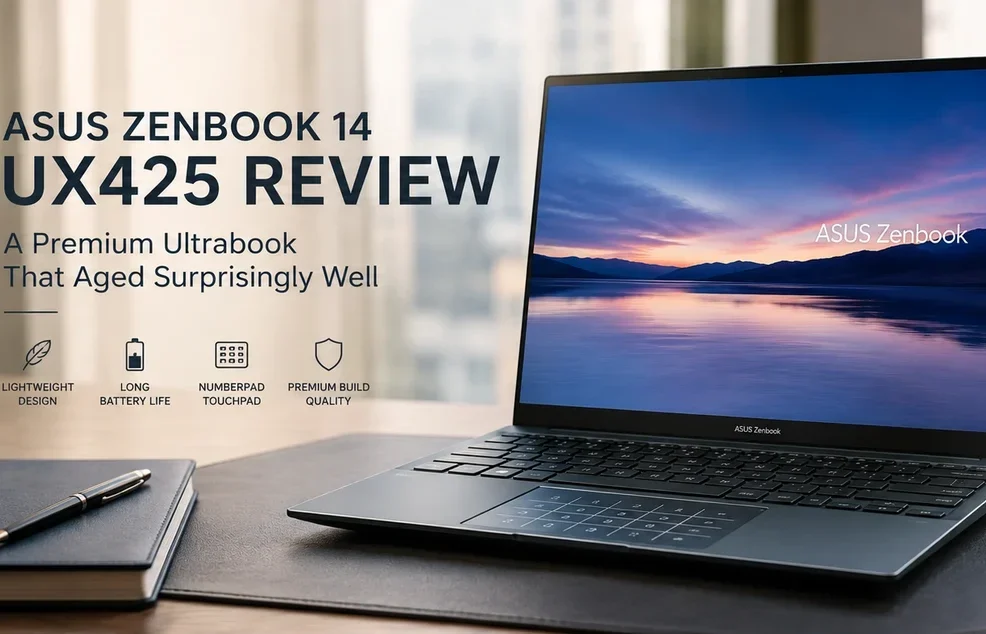
🔵 ASUS Zenbook 14 UX425 Review: A Premium Ultrabook That Aged Surprisingly Well
Disclosure: As an Amazon Associate, Best Digital Nomad Gear earns from qualifying purchases. This does not affect our reviews or recommendations. We only recommend products we believe provide genuine value to our readers.
The ASUS Zenbook 14 UX425 is an interesting laptop to revisit in 2026 because it represents a very different era of ultrabook design.
When it originally launched, the UX425 positioned itself as a premium lightweight business laptop and productivity laptop competing against devices like the Dell XPS 13, HP Spectre x360, Lenovo Yoga lineup, and even the MacBook Air.
At the time, its biggest strengths were:
- premium lightweight design
- excellent portability
- strong battery life
- practical port selection
- ASUS NumberPad integration
- comfortable everyday productivity
But several years later, the UX425 now fits into a completely different category.
This is no longer a cutting-edge flagship ultrabook.
Instead, the Zenbook 14 UX425 has become something arguably more interesting:
👉 a premium lightweight laptop that still makes a surprising amount of sense for certain users today.
And honestly, that is why this laptop is still worth discussing.
Because while modern AI PCs and Copilot+ laptops now dominate the premium ultrabook conversation, the UX425 still offers:
- strong portability
- solid everyday usability
- excellent travel friendliness
- premium build quality
- surprisingly modern productivity features
at prices that are now dramatically lower than newer flagship laptops.
That changes the value proposition completely.
So instead of asking:
“Is this still a top-tier premium ultrabook?”
The more important question today is:
“Does the ASUS Zenbook 14 UX425 still make sense as a lightweight everyday laptop in 2026?”
And honestly, for the right user, the answer is still surprisingly close to yes.
⚙️ ASUS Zenbook 14 UX425 Specifications
| Specification | ASUS Zenbook 14 UX425 |
|---|---|
| CPU Options | Intel Core i5-1135G7 / Intel Core i7-1165G7 |
| Architecture | 11th Generation Intel Tiger Lake |
| Cores / Threads | 4 Cores / 8 Threads |
| Boost Clock | Up to 4.2GHz (i5) / Up to 4.7GHz (i7) |
| GPU | Intel Iris Xe Graphics |
| Memory | 8GB or 16GB LPDDR4X |
| Storage | 512GB or 1TB PCIe SSD |
| Display | 14-inch Full HD (1920×1080) |
| Aspect Ratio | 16:9 |
| Ports | Thunderbolt 4 USB-C, USB-A, HDMI, Audio Jack |
| Special Feature | ASUS NumberPad Touchpad |
| Wireless | Wi-Fi 6 + Bluetooth 5.0 |
| Battery | 67Wh |
| Weight | Approximately 1.17kg (2.58 lbs) |
| Operating System | Windows 10 / Windows 11 |
| Best For | Students, Travelers, Office Users, and Productivity Workflows |
🟡 Does the ASUS Zenbook 14 UX425 Still Feel Premium?
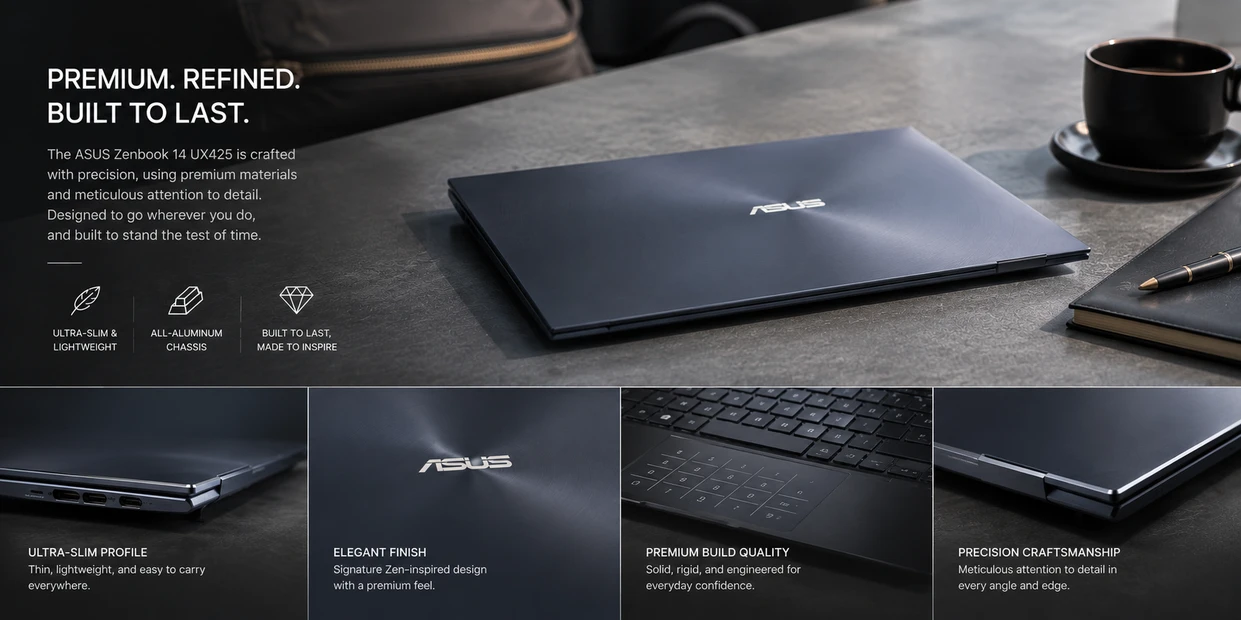
One of the first things that still stands out about the UX425 today is how premium the laptop feels considering its current position in the market.
A lot of older laptops start feeling outdated very quickly because:
- build quality weakens
- designs age poorly
- bezels become distracting
- portability suffers
- battery life falls behind modern expectations
The UX425 avoids a surprising amount of that.
Even years later, the laptop still feels:
- thin
- lightweight
- portable
- clean
- professional
- easy to carry daily
And honestly, this is one of the biggest reasons the UX425 aged better than many older productivity laptops.
The laptop still feels modern enough physically that it does not immediately feel “old” in everyday usage.
That matters a lot more than people realize.
🟣 One of the Zenbook 14 UX425’s Smartest Features Is Hidden in the Trackpad
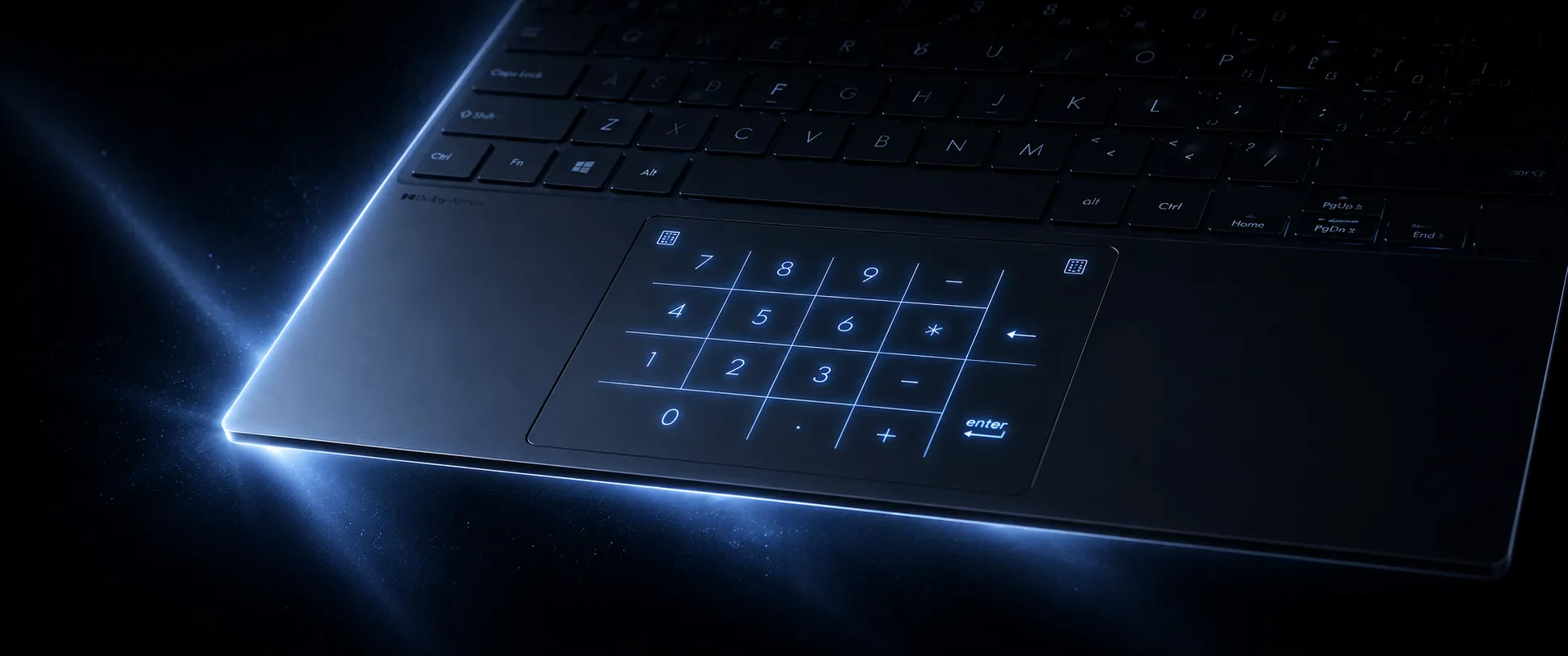
One of the UX425’s most recognizable features is the ASUS NumberPad integrated directly into the touchpad.
Unlike newer Zenbook models like the ASUS Zenbook A14, the UX425 includes the illuminated virtual numeric keypad built directly into the glass touchpad itself.
With a quick tap, the touchpad transforms into a digital numpad while still functioning as a normal precision trackpad.
And honestly, this feature still feels surprisingly useful today for:
- spreadsheets
- budgeting
- calculations
- accounting
- office work
- productivity workflows
especially on a compact lightweight laptop where there is no room for a full physical numpad.
This also gives the UX425 a feature that many newer ultrabooks surprisingly no longer include.
That becomes especially useful for users who regularly work with:
- spreadsheets
- financial workflows
- accounting
- calculations
- budgeting
- office productivity
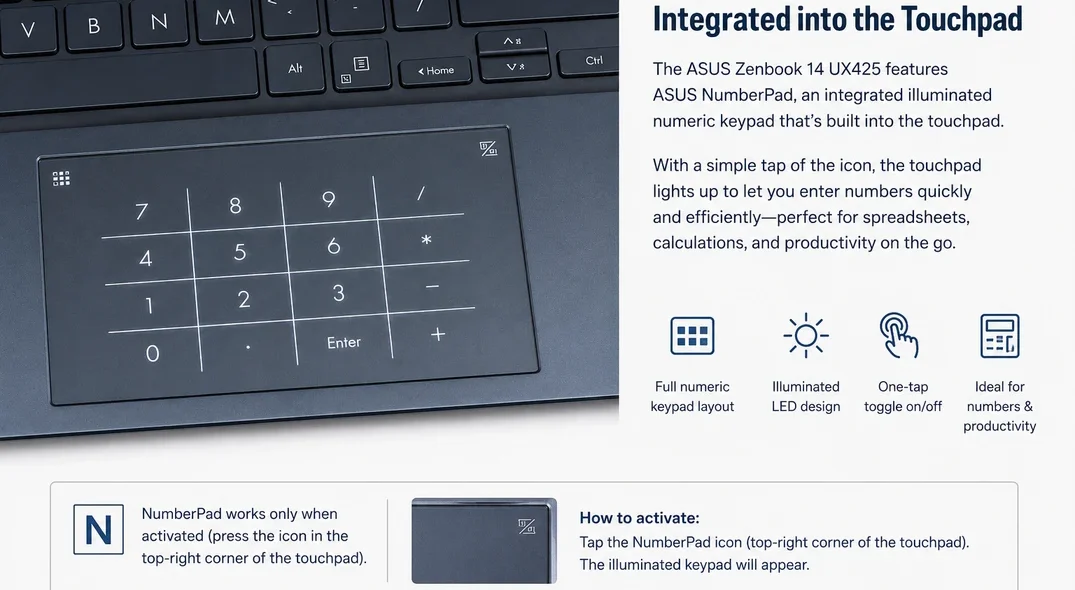
because the virtual numpad makes entering numbers significantly more comfortable on a compact lightweight laptop.
That also creates an interesting contrast against newer laptops like the ASUS Zenbook A14..
The Zenbook A14 is the more modern laptop overall with newer Snapdragon hardware, stronger battery efficiency, and a more advanced AI-focused platform.
However, the UX425 will often be available at a significantly lower price while still offering:
- premium portability
- strong everyday usability
- lightweight travel friendliness
- practical connectivity
- ASUS NumberPad functionality
For buyers primarily focused on productivity, portability, and budget-conscious value, the UX425 can still make a surprising amount of sense today.
That makes the laptop feel slightly different from modern minimalist ultrabooks.
👉 If you’d like to check current ASUS Zenbook 14 UX425 pricing and availability, you can view current listings on Amazon.
🔵 Is the ASUS Zenbook 14 UX425 Still Worth Buying in 2026?
The UX425 no longer makes the most sense as a premium flagship business laptop.
Modern ultrabooks now offer:
- faster processors
- AI-focused hardware
- better webcams
- stronger efficiency
- improved battery management
- better ARM optimization
- improved displays
However, that does not automatically make the UX425 irrelevant.
Instead, the UX425 now makes more sense as:
- a lightweight productivity laptop
- a travel laptop
- a student laptop
- a secondary work machine
- a budget premium ultrabook
- a portable everyday laptop
And honestly, that repositioning works surprisingly well.
Because once prices fall over time, older premium laptops often become much more interesting than newer cheap laptops.
The UX425 is a good example of that.
You still get:
- premium design
- strong portability
- comfortable typing
- practical connectivity
- lightweight usability
without needing to spend modern flagship ultrabook prices.
🟢 Does the ASUS Zenbook 14 UX425 Still Perform Well?

For normal productivity usage, honestly, yes.
The UX425 still handles:
- web browsing
- Office apps
- streaming
- multitasking
- communication tools
- cloud workflows
- writing
- remote productivity
reasonably well even today.
However, expectations matter.
This is not a modern AI PC. This is not a gaming machine. This is not a creator workstation.
And compared to newer Snapdragon, Lunar Lake, Ryzen AI, or Apple Silicon systems, the UX425 will obviously feel older in certain workloads.
But for users primarily focused on:
- portability
- lightweight productivity
- travel
- writing
- office usage
- browsing
That is especially true considering current pricing compared to modern premium ultrabooks.
🟡 Is the ASUS Zenbook 14 UX425 Good for Travel?

This is probably where the UX425 still shines the most and one of the reasons it remains a strong option among modern travel laptops.
The laptop remains:
- compact
- lightweight
- easy to carry
- comfortable for commuting
- practical for travel
And unlike many cheap modern laptops, the UX425 still feels intentionally designed around portability rather than simply being inexpensive.
That difference matters.
The laptop feels:
- more refined
- more polished
- easier to live with
- more premium during daily use
And honestly, that is one of the biggest reasons older premium ultrabooks can sometimes age better than lower-end modern systems.
🟣 Who Is the ASUS Zenbook 14 UX425 Best For?

The UX425 still makes sense for users who prioritize:
- portability
- lightweight design
- office productivity
- writing
- web-based workflows
- travel friendliness
- premium build quality on a lower budget
This is especially true for:
- students
- remote workers
- bloggers
- lightweight travel setups
- secondary productivity devices
However, users looking for:
- heavy creative workloads
- gaming performance
- AI PC features
- modern workstation-class performance
should realistically focus on newer laptops instead.
🟠 Who Should Avoid the UX425?
- gamers
- creators
- AI PC users
- heavy video editors
- demanding workstation workflows
🔵 Final Verdict

The ASUS Zenbook 14 UX425 is no longer a modern flagship ultrabook.
But honestly, that is not the right way to think about it anymore.
Instead, the UX425 now fits into a surprisingly interesting category:
👉 a premium lightweight laptop that aged better than many people would expect.
The combination of:
- lightweight portability
- premium design
- strong everyday usability
- ASUS NumberPad functionality
- practical connectivity
- comfortable productivity workflows
still gives the laptop genuine value today.
Especially if found at the right price, the UX425 can still make a lot of sense for users prioritizing:
- travel
- office productivity
- portability
- lightweight daily computing
- budget-conscious premium usability
And honestly, that may be the biggest compliment this laptop deserves.
Several years later, the UX425 still feels like a thoughtfully designed ultrabook instead of a disposable outdated laptop.
That is something many older laptops fail to achieve.
You are buying into an older premium ultrabook experience — not a modern AI-focused flagship laptop.
👉 You can check current ASUS Zenbook 14 UX425 pricing, availability, and configuration options on Amazon.
ASUS Zenbook 14 UX425 FAQ

❓🟣 Does the ASUS Zenbook 14 UX425 Still Feel Premium Today?
Yes.
Even years later, the UX425 still feels lightweight, portable, professional, and surprisingly premium for everyday productivity and travel usage.
❓🟠 Does the ASUS Zenbook 14 UX425 Have ASUS NumberPad?
Yes.
The UX425 includes ASUS NumberPad integrated directly into the touchpad, allowing it to transform into an illuminated virtual numeric keypad.
❓🔵 Is the ASUS Zenbook 14 UX425 Good for Travel?
Yes.
The UX425 is still an excellent lightweight travel laptop thanks to its portability, compact design, and strong everyday battery life.
❓🟢 Is the ASUS Zenbook 14 UX425 Good for Students?
Yes.
The UX425 still works very well for writing, Office apps, web browsing, streaming, research, and normal everyday student workloads.
❓🟡 Is the ASUS Zenbook 14 UX425 Better Than Cheap Modern Laptops?
In some ways, yes.
The UX425 still offers a more premium design, better portability, and a more refined ultrabook experience than many newer budget laptops.
❓🟣 Is the ASUS Zenbook 14 UX425 Better Than the ASUS Zenbook A14?
No.
The Zenbook A14 is the more modern laptop overall, but the UX425 can still offer better value pricing and ASUS NumberPad functionality.
❓🟠 Is the ASUS Zenbook 14 UX425 Still Worth Buying in 2026?
Yes — for the right user.
It still makes sense as a lightweight productivity, travel, student, or budget premium ultrabook in 2026.
❓🔵 Does the ASUS Zenbook 14 UX425 Have a Touchscreen?
No.
The ASUS Zenbook 14 UX425 uses a non-touch Full HD display instead of a touchscreen panel.
ASUS focused more heavily on:
- portability
- battery life
- lightweight design
- traditional ultrabook productivity
❓🟢 Is the ASUS Zenbook 14 UX425 Good for College Students?
Yes.
The UX425 works very well for college students thanks to its:
- lightweight portability
- compact design
- strong battery life
- comfortable keyboard
- everyday productivity performance
It is especially practical for:
- carrying between classes
- campus usage
- note-taking
- library work
- writing assignments
- web-based school workloads
And because the laptop still feels premium and easy to carry daily, it remains a surprisingly good student ultrabook even in 2026.