
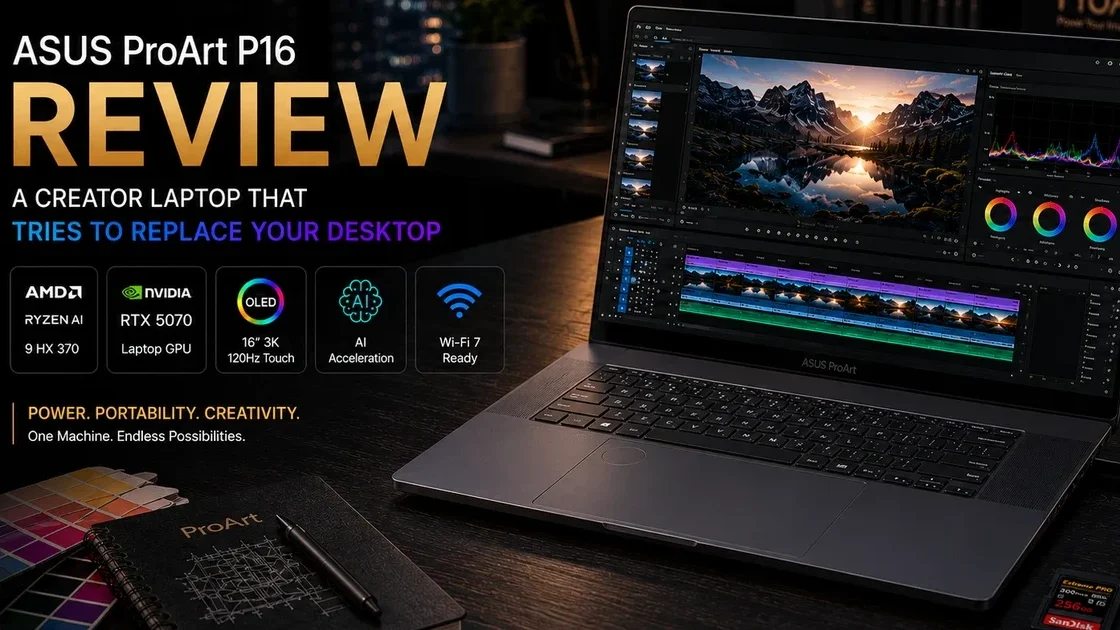
Disclosure: As an Amazon Associate, Best Digital Nomad Gear earns from qualifying purchases. This does not affect our reviews or recommendations. We only recommend products we believe provide genuine value to our readers.
Most creator laptops force you to compromise somewhere.
Thin laptops sacrifice GPU power. Gaming laptops often have inaccurate displays and poor battery life. Traditional workstations become heavy and loud.
The ASUS ProArt P16 is trying to solve all three problems at once.
This latest ProArt P16 combines:
- AMD Ryzen AI 9 HX 370
- NVIDIA RTX 50-series Laptop GPU
- 32GB RAM + 2TB SSD (mainstream U.S. configuration)
- Wi-Fi 7
- Creator-focused software and AI features
- Optional 64GB RAM configurations for heavier workflows
- 16-inch 4K ASUS Lumina Pro OLED touchscreen with 120Hz refresh rate, touch support, and creator-focused color accuracy
On paper, this sounds like the Windows answer to a premium creator workstation — something positioned between a gaming laptop, mobile workstation, and high-end creator machine.
The bigger question is:
Does it actually justify the price, or should creators save money and buy an older ProArt model or even a MacBook Pro instead?
That is what this review answers.
⚙️ ASUS ProArt P16 Specifications (2026)
| Specification | ASUS ProArt P16 (2026) |
|---|---|
| CPU | AMD Ryzen AI 9 HX 370 |
| Cores / Threads | 12 Cores / 24 Threads |
| GPU | NVIDIA GeForce RTX 50-Series Laptop GPU (RTX 5070 / RTX 5080 / RTX 5090 depending on configuration) |
| AI Engine | Ryzen AI + RTX AI Acceleration |
| Memory | 32GB LPDDR5X (64GB Available) |
| Storage | 2TB PCIe Gen4 SSD |
| Display | 16-inch 4K ASUS Lumina Pro OLED Touch Display |
| Refresh Rate | 120Hz |
| Wireless | Wi-Fi 7 + Bluetooth 5.4 |
| Ports | USB-A, USB4, HDMI 2.1, SD Card Reader |
| Weight | Approximately 1.85–1.95kg (4.1–4.3 lbs) |
| Operating System | Windows 11 |
| Best For | Video Editing, 3D Work, AI Workflows, Photography, Design, and Professional Content Creation |
- 100% DCI-P3
- Pantone Validated
- DisplayHDR True Black 1000
- Up to 1600 nit HDR peak brightness
- Touch + pen support
- Battery - 90Wh
Specifications vary significantly by configuration, with higher-end models offering up to 64GB RAM, RTX 5090 graphics, and larger storage capacities.
👉 If you’d like to check current pricing or available configurations, you can view the ASUS ProArt P16 on Amazon.
About the 64GB Version
- Edit large 4K/8K projects
- Use Blender professionally
- Run AI workloads locally
- Open dozens of Chrome tabs + Adobe apps simultaneously
- Need longer-term future proofing
For lighter creator workflows, 32GB remains more than enough today.
Buyers who work with large Blender projects, AI workflows, or professional video editing may want to compare the available 32GB and 64GB ASUS ProArt P16 configurations on Amazon.
What Is the ASUS ProArt P16?
The ProArt P16 is not designed for ordinary laptop buyers.
This is a creator-first machine, aimed at:
- Video editors
- Photographers
- 3D artists
- Motion designers
- Architects
- Engineers
- Graphic designers
- AI creators
- Professional content creators
ASUS positions the ProArt P16 as a portable studio, combining workstation-class hardware with a thinner and more travel-friendly chassis than many traditional creator workstations.
The interesting part:
Unlike many creator laptops, the ProArt series borrows ideas from premium ultrabooks and gaming laptops.
Creator display + workstation specs + RTX graphics + better portability
That combination is unusual.
Design & Build Quality
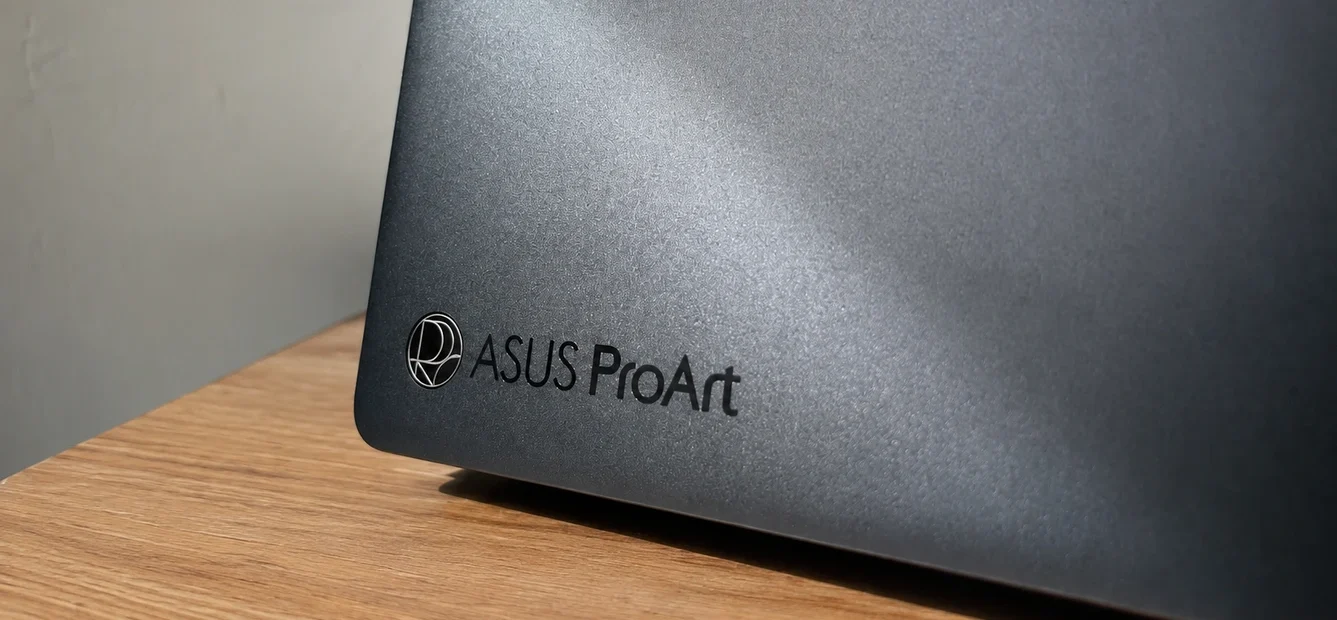
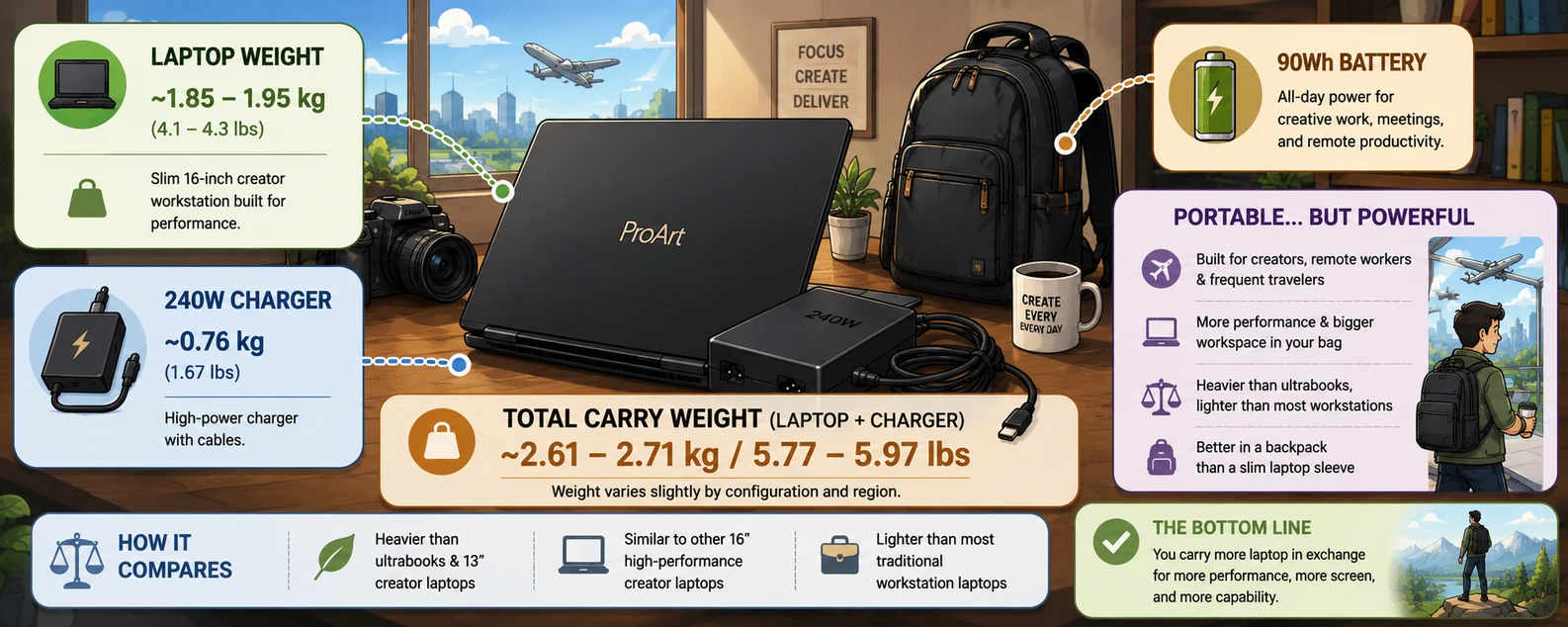
At roughly 4.1–4.3 lbs (1.85–1.95kg) and under 15mm thick, the ProArt P16 is surprisingly portable considering the hardware inside.
This is not a small laptop.
But compared with many workstation or gaming alternatives, it feels much more manageable.
Portability remains impressive for a creator workstation, although carrying the included high-wattage charger (up to 240W depending on configuration) noticeably increases total travel weight. Buyers regularly working from cafés, studios, or editing on location should factor this into overall portability rather than considering chassis weight alone.
The overall design is:
- Minimal
- Nano Black finish
- Professional aesthetic
- Designed to blend into studios, meetings, and cafés
- Smudge-resistant coating
- Less aggressive than gaming laptops like the ROG Zephyrus G16
You could realistically use this in:
- Client meetings
- Studios
- Offices
- Universities
- Coffee shops
without attracting attention.
The practical advantage becomes clearer during long creative sessions.
This Laptop Has A Very Unique Trackpad
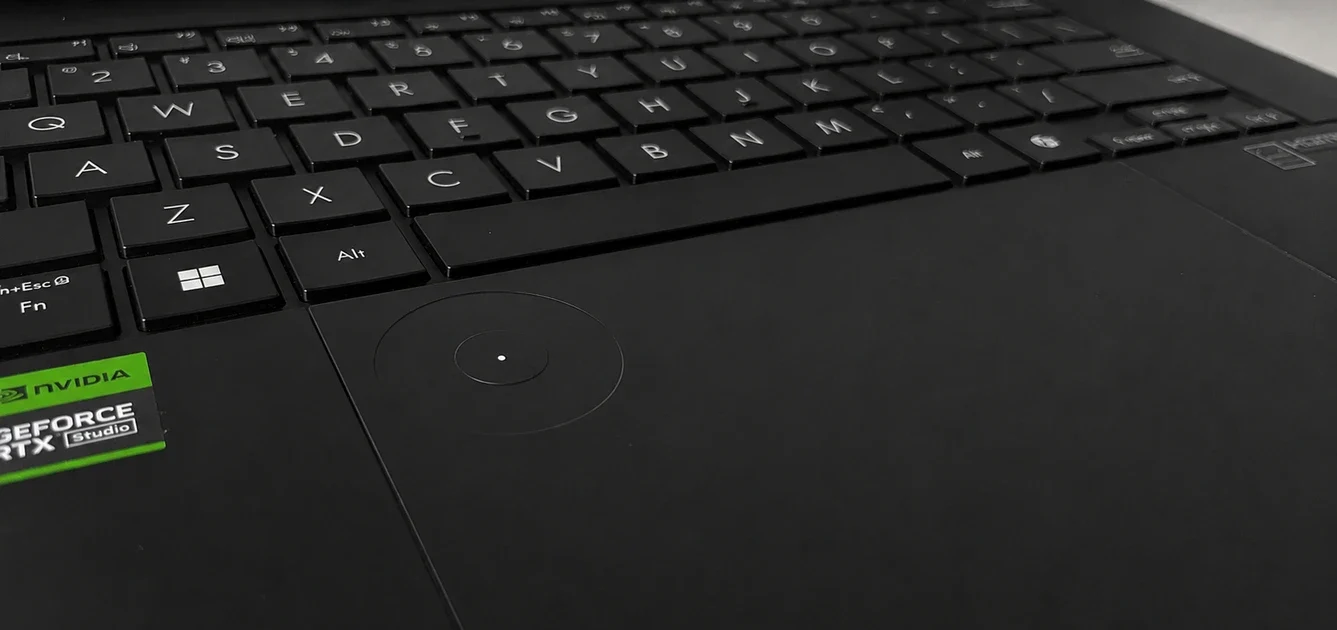
The large glass trackpad feels responsive and accurate during everyday use, with smooth Windows gesture support and reliable palm rejection. Integrated into the trackpad is ASUS DialPad, a creator-focused feature designed to provide faster adjustments within supported creative applications such as Adobe Premiere Pro and Photoshop.
In practice, DialPad can help with:
- Timeline scrubbing during video editing
- Brush adjustments in creative applications
- Zoom controls for editing and design work
- Volume changes during media workflows
- Display brightness adjustments without interrupting work
Unlike many experimental creator features, ASUS DialPad becomes genuinely useful once incorporated into regular workflows, especially for users working in video editing, illustration, photography, design, and content creation.
The ProArt P16 also supports MPP 2.0 active stylus input through its 16-inch 4K ASUS Lumina OLED touchscreen, including 4,096 levels of pressure sensitivity and tilt support for more precise drawing and shading.
This makes the laptop better suited for:
- 🎨 Digital illustration
- 📷 Photo retouching
- ✏️ Graphic design
- 🎬 Storyboarding
- 🖌 Creative workflows requiring pen input
One thing worth knowing:
An active stylus is not usually included in the box, meaning buyers often need to purchase an ASUS Pen 2.0 or another compatible MPP 2.0 stylus separately.
Surprisingly, the ProArt P16’s large glass trackpad feels closer to MacBook-level quality than many Windows creator laptops, with solid tactility and minimal looseness or cheap feeling movement.
Display Quality: One of the Biggest Reasons to Buy This Laptop
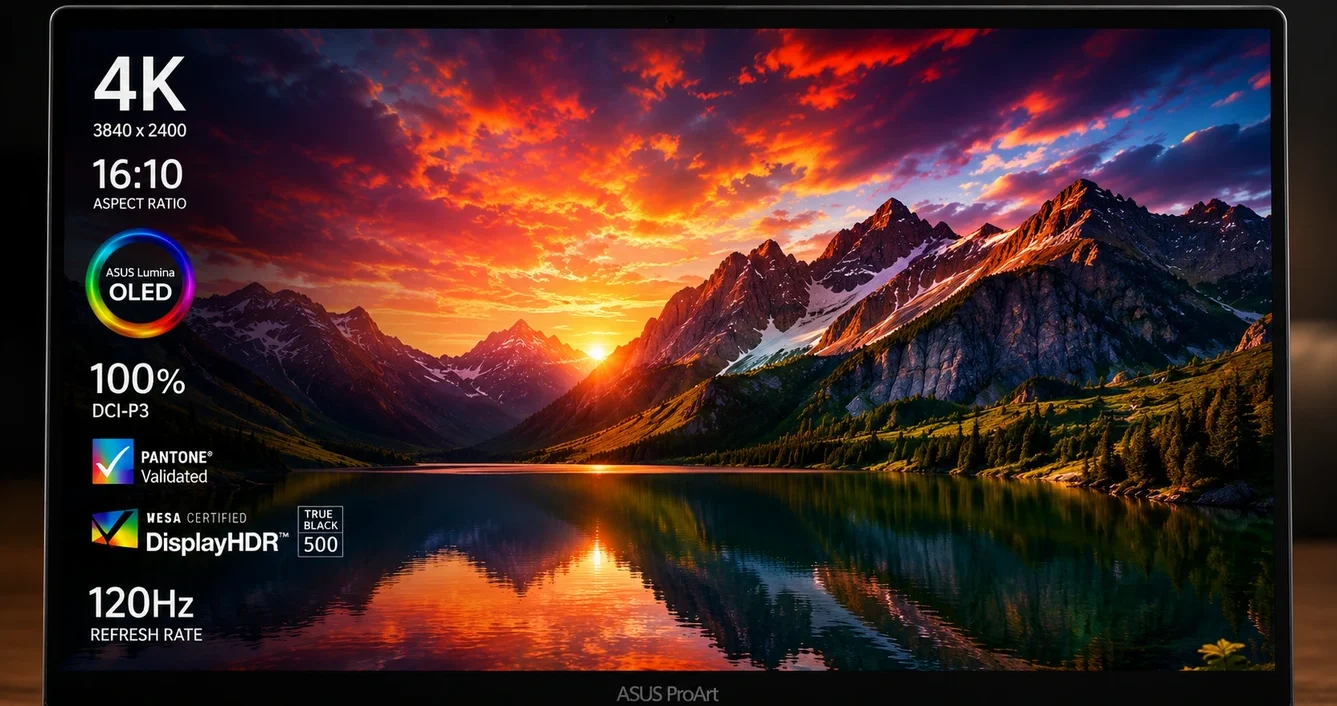
The display is easily one of the strongest reasons to consider the ASUS ProArt P16. The laptop uses a 16-inch 4K ASUS Lumina Pro OLED touchscreen designed for creator workflows, combining high resolution with professional color accuracy and HDR performance.
Specifications include:
- 4K OLED resolution
- 120Hz refresh rate
- Touch support
- Pen support
- ~1,000,000:1 contrast ratio
- 100% DCI-P3 color coverage
- Pantone Validation
- DisplayHDR True Black 1000 certification
- Up to 1600 nits HDR peak brightness
Benefits:
In real-world creator workflows, the display benefits become noticeable quickly:
🎬 Video editing
- Smoother timeline scrubbing
- Easier motion graphics work
- More fluid playback
📷 Photography
- Better color consistency
- Improved confidence during editing
- More accurate grading
🎨 Design & Illustration
- Useful touch support
- Pen compatibility
- Improved precision work
🎥 Media consumption
- Deep OLED contrast
- Strong HDR performance
- Excellent perceived sharpness
ASUS also includes an anti-reflection treatment intended to reduce glare, making the display easier to use in brighter environments than many glossy OLED panels.
Higher refresh rates do not only help gaming. For creators, smoother scrolling, timeline movement, and interface responsiveness can make long editing sessions feel noticeably better.
For many creators, display quality matters nearly as much as raw performance. A powerful laptop becomes much less useful if color accuracy, contrast, and long editing sessions suffer.
Short answer:
For professional creative workloads:
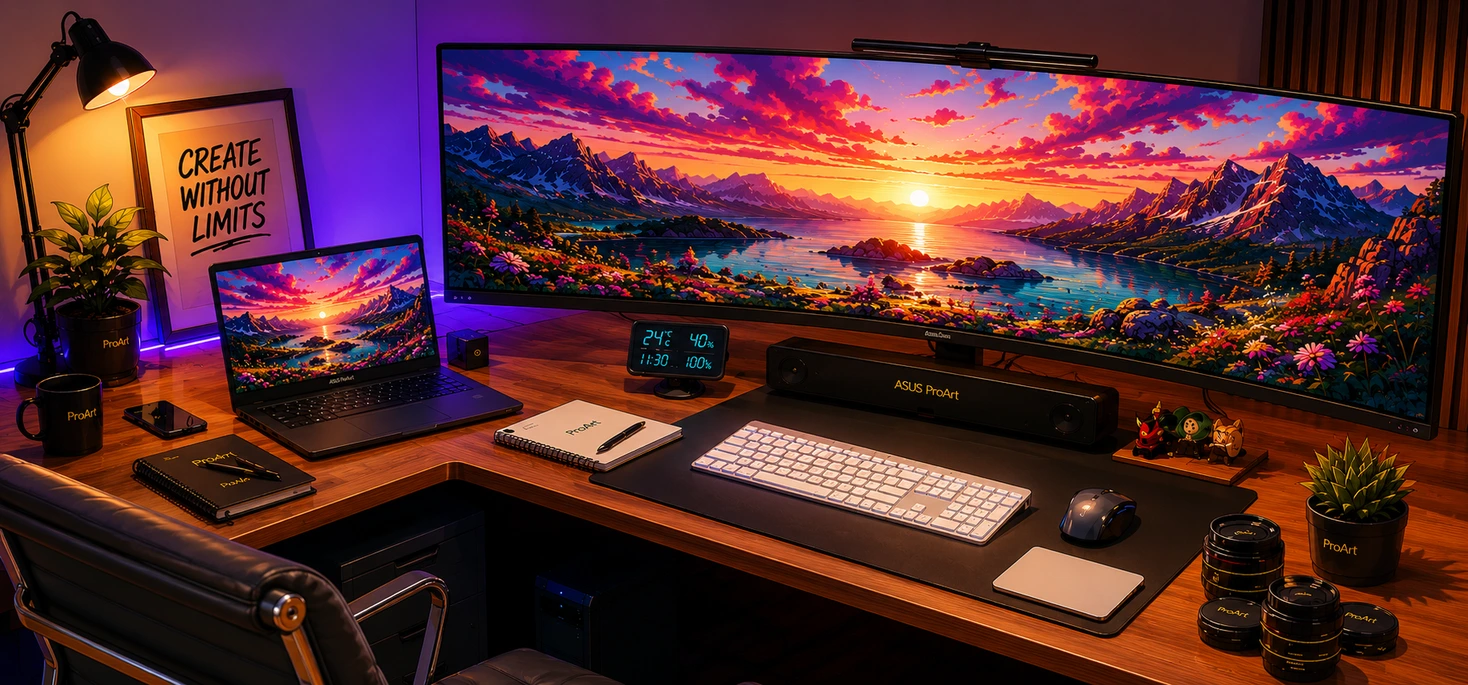
For many creative professionals, yes — the ProArt P16 moves closer to desktop replacement laptop territory, particularly for editing, design work, rendering, development, and AI-assisted workflows.
The better question is not:
“Can it replace a desktop?”
Instead:
“Can it replace multiple devices at once?”
For some users:
- Laptop
- Desktop
- Editing workstation
- Travel setup
- Occasional gaming machine
The ProArt P16 attempts to combine all of those.
The combination of:
- Ryzen AI 9 HX 370
- RTX 50-series GPU configuration (RTX 5070 / 5080 / 5090 depending on SKU)
- Fast LPDDR5X memory
- PCIe Gen4 SSD
Overall, it performs more like a portable workstation than a traditional productivity laptop, particularly during sustained creator workloads where consistency matters as much as peak performance.
Expected strong areas:
🎬 Video Editing
Applications such as:
- Adobe Premiere Pro
- DaVinci Resolve
- After Effects
- Media Encoder
- CapCut
run smoothly under heavy workflows.
📷 Photography
Strong:
- Lightroom
- Photoshop
- RAW editing
Large RAW workflows and multi-layer edits remain manageable thanks to fast storage and high RAM configurations.
🖥 3D Work & Rendering
Useful for:
- Blender
- Rendering
- Simulations
- CAD
Heavy rendering workloads benefit significantly from stronger GPU configurations, making higher-end RTX variants easier to justify for professionals.
Multitasking stability
Even while running multiple creator applications simultaneously, overall responsiveness remained strong, which matters more for professionals than short benchmark bursts.
Sustained Performance Matters More Than Benchmarks
Short benchmark numbers rarely reflect real creator work. Editing, rendering, exporting, and multitasking often continue for hours rather than minutes.
The ProArt P16 performs best when viewed as a machine designed for workflow consistency, not simply peak benchmark results.
🔥 RTX Performance & Can the ProArt P16 Replace a Gaming Laptop?
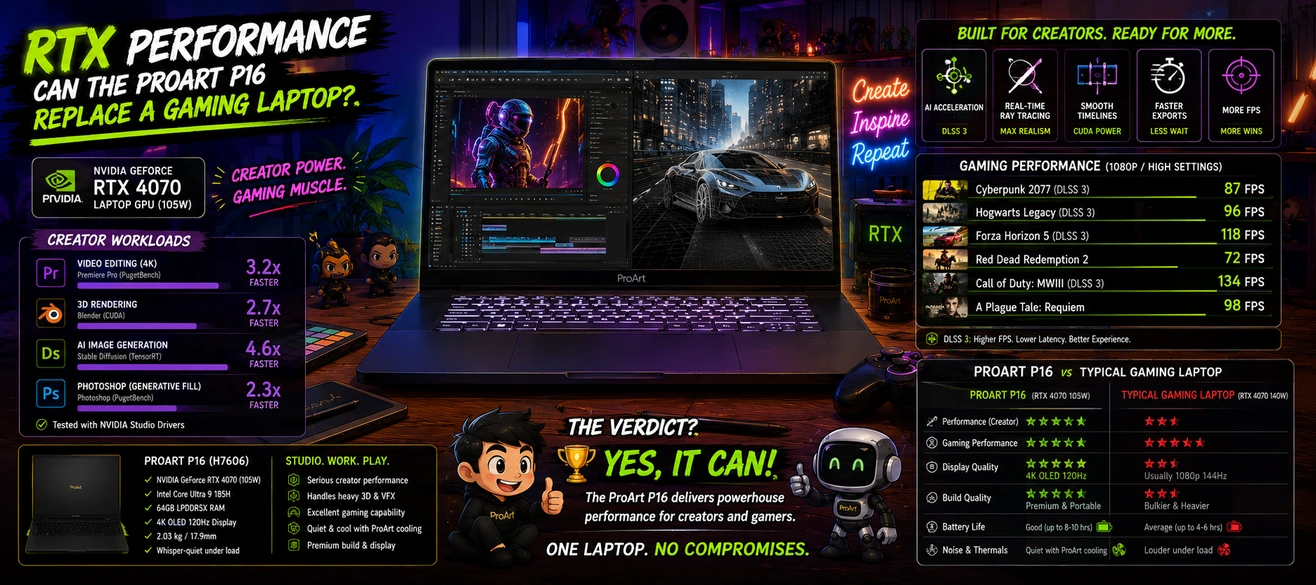
One of the biggest questions buyers ask is:
Depending on configuration, the ProArt P16 may include an RTX 5070, RTX 5080, or RTX 5090 Laptop GPU, raising an obvious question:
Can a creator laptop also replace a gaming laptop?The answer is:
Yes for some users — no for others.
The ProArt P16 can run modern AAA games well, but gaming is a secondary priority rather than the primary reason this laptop exists. This is creator first laptop and everything else is secondary.
That means ASUS prioritizes:
- Creator workflows
- Rendering
- AI workloads
- Color accuracy
- Battery efficiency
- Professional design
RTX branding alone does not guarantee identical performance.
Cooling systems, power limits, and chassis design can significantly change performance.
The ProArt P16 aims for a balance between:
- Performance
- Portability
- Creator workloads
rather than:
Maximum FPS at any cost
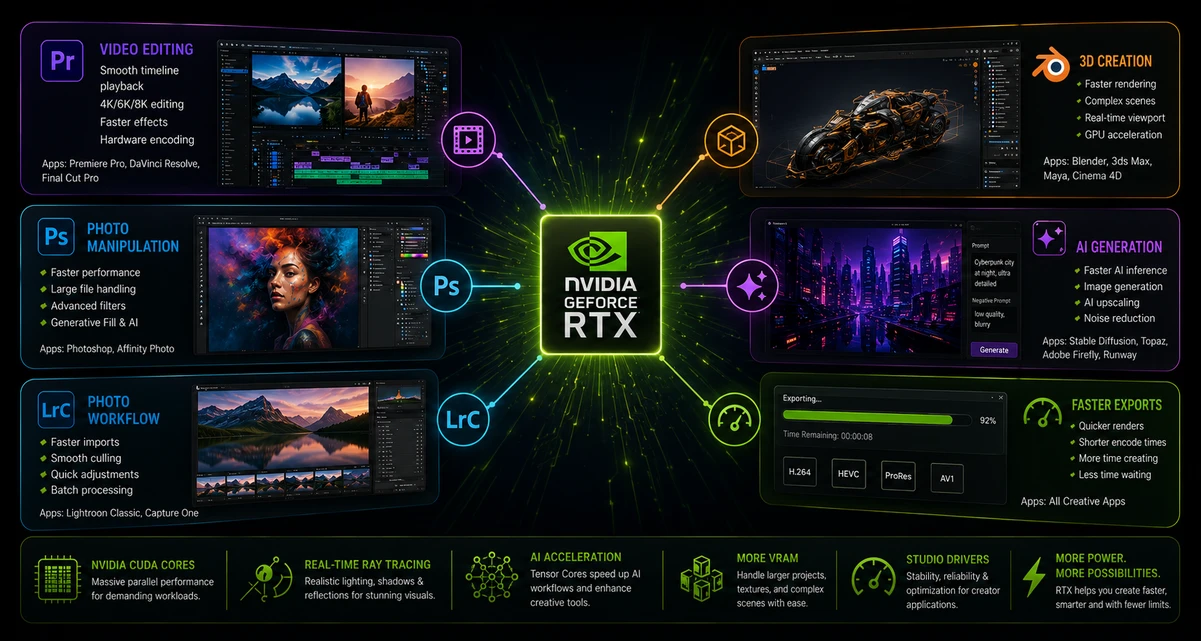
What Does the RTX 50-series GPU Actually Help With?
🎬 Video Editing
Regardless of configuration, the dedicated RTX GPU matters for much more than gaming:
- Adobe Premiere Pro exports
- DaVinci Resolve rendering
- Effects processing
- Timeline playback
- AI-assisted editing tools
Export performance and heavier effects processing benefit significantly from stronger GPU configurations.
This becomes noticeable with:
- 4K projects
- Multi-layer edits
- Heavy effects
- Color grading
🎨 3D Work & Rendering
Programs like:
- Blender
- Cinema 4D
- Unreal Engine
- CAD software
can benefit significantly from stronger GPU performance.
Compared to older creator laptops, rendering times may improve substantially depending on workload.
Professionals working in Blender, Unreal Engine, or large rendering workloads may justify higher-end RTX configurations more easily.
Time saved = money saved
🤖 AI Workloads
This is becoming increasingly important.
Modern creative software now commonly use AI:
- AI image generation
- AI video tools
- AI upscaling
- AI assistants
- Local AI models
The combination of:
- Ryzen AI
- RTX acceleration
positions the ProArt P16 more strongly for future AI workflows than older creator laptops.
The impact may become clearer as AI tools become more integrated into everyday creative software.
Combined with the Ryzen AI processor and NPU acceleration, the ProArt P16 is becoming better suited for local AI workflows.
Is the ASUS ProArt P16 Good for Gaming?
Yes — but gaming is not its main purpose.
Higher-end RTX configurations allow the ProArt P16 to handle modern games comfortably, although performance varies depending on exact GPU configuration, power limits, and workload.
However:
Buying a ProArt P16 only for gaming usually makes less sense.
A dedicated gaming laptop often provides:
- Higher GPU power limits
- More aggressive cooling
- Better gaming value per dollar
- Higher FPS potential
for similar prices.
What Is Gaming Actually Like on the ProArt P16?
Gaming performance is surprisingly strong, but expectations matter.
Titles such as modern AAA games and competitive games remain playable, although the experience does not always match gaming-first laptops with more aggressive cooling and higher GPU power limits.
Some users have reported occasional instances where waking the laptop from sleep or hibernation while unplugged temporarily reduced gaming performance until restarting or reconnecting power. This appears to be a software-related issue rather than a hardware limitation and may be addressed through future updates.
It also does not seem to affect creator workloads, which remain the primary focus of this laptop.
The Difference Between a Creator Laptop and Gaming Laptop
Think of it like this:
Gaming laptop:
- Maximum performance for games
Creator laptop:
- Strong performance across editing, rendering, AI, productivity, and some gaming
The ProArt P16 belongs in the second category.
Should You Buy the ProArt P16 Instead of a Gaming Laptop?
Buy the ProArt P16 if you:
- Edit videos
- Use Adobe apps
- Work with photos
- Need Blender performance
- Create content professionally
- Want one machine for work + occasional gaming
- Editing generates income
- Adobe workflows matter
- You need one machine for work + gaming
- Color accuracy matters
- AI workflows matter
- Portability matters
Buy a gaming laptop if:
- Gaming is your top priority
- Maximum FPS matters most
- You want stronger value purely for gaming performance
Why Gaming Laptops Still Win
Dedicated gaming laptops still usually offer:
- Higher sustained GPU power
- More aggressive cooling
- Better FPS-per-dollar
- Fewer compromises around creator-focused features
🔋 Battery Life: How Long Does the ASUS ProArt P16 Last in Real Usage?
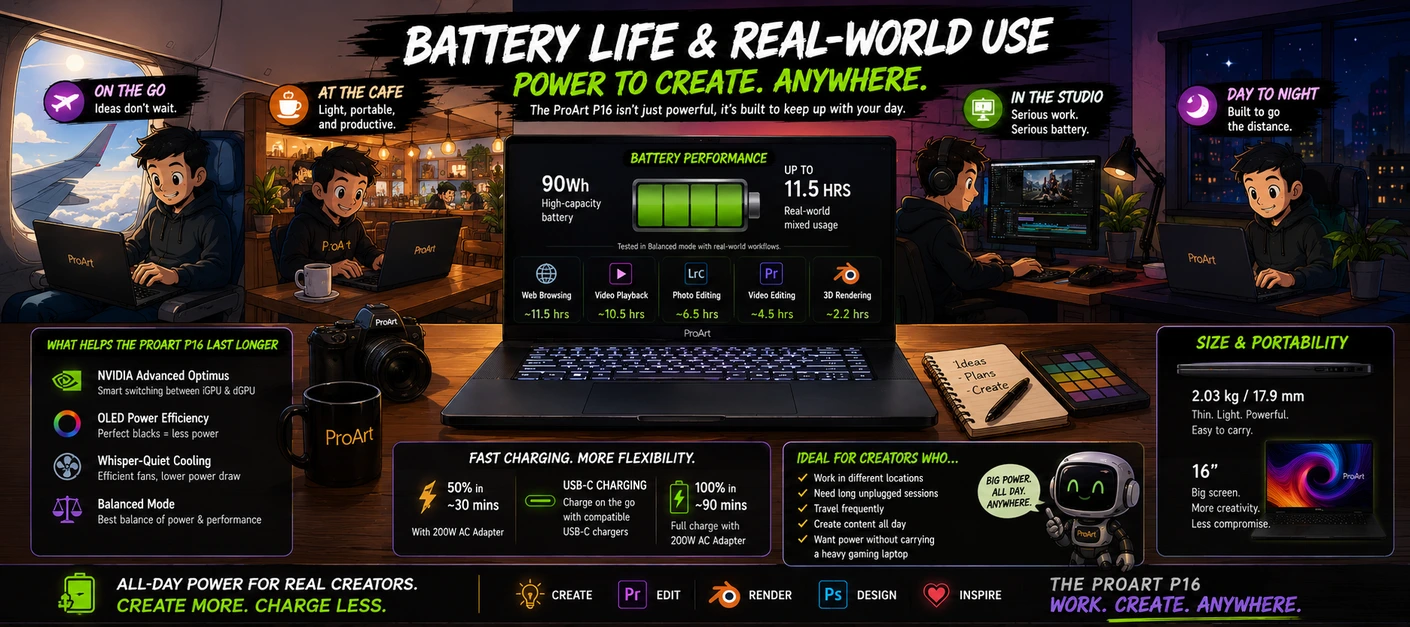
Battery life is one of the hardest things to balance in powerful creator laptops.
The problem is simple:
- High-performance CPUs
- Dedicated RTX graphics
- OLED displays
- More power consumption
That means buyers expecting MacBook Air-level battery life may need to adjust expectations.
This laptop includes a 90Wh battery, which is large for a creator laptop but also has to support high-performance components including Ryzen AI processors, dedicated RTX graphics, and a high-resolution OLED display.
Real-world battery life depends heavily on workload.
During lighter tasks such as browsing, writing, streaming, and basic editing, around 5–8 hours of screen-on time may be achievable.
Heavy workloads involving rendering, exporting, motion graphics, or intensive creator software reduce battery life significantly.
What Everyday Battery Usage Might Look Like
📝 Light Productivity
Tasks such as:
- Chrome tabs
- Writing
- Office work
- Streaming
- Video calls
- Light editing
place less demand on dedicated RTX hardware, allowing battery life to stretch further than many buyers expect from a creator workstation.
You can expect significantly better battery life because the laptop is not pushing the RTX GPU continuously.
For hybrid workers and students doing lighter work:
For lighter productivity, the It remains more usable unplugged than many older workstation laptops, although creator workloads still benefit heavily from staying connected to power.
🎬 Editing & Creative Work
Applications such as:
- Premiere Pro
- DaVinci Resolve
- Blender
- Photoshop
increase power consumption quickly because both CPU and GPU workloads rise simultaneously.
Exporting and rendering workloads are among the fastest ways to reduce runtime away from a charger.
🎮 Gaming
Gaming is among the fastest ways to reduce battery life.
Like most RTX laptops:
The expectation should be:
- Play plugged in for maximum performance
- Not long unplugged gaming sessions
Performance profiles are also more restricted while unplugged, meaning the laptop cannot always access maximum performance modes on battery power.
One Limitation Worth Knowing
One thing worth remembering:
The ProArt P16 is designed primarily as a plugged-in creator workstation.
While battery life is respectable for the category, buyers expecting all-day MacBook-style endurance may need to adjust expectations.
Is the ASUS ProArt P16 Good for Remote Work?
Yes — if your remote work includes creative tasks.
For:
- Designers
- Editors
- Developers
- Content creators
- Architects
- Engineers
the larger display can actually improve productivity.
The tradeoff:
You carry more laptop in exchange for more workspace.
The Reality: This Is Still a Powerful 16-Inch Creator Laptop
The ProArt P16 is portable for its class, but buyers should not expect ultrabook behavior.
Remember:
This is closer to:
Portable workstation
than:
Light travel laptop
That distinction matters.
Frequent travelers should also consider the weight of the included high-wattage charger rather than chassis weight alone.
Compared with smaller laptops such as:
- Compact ultrabooks
- 13-inch creator laptops
- MacBook Air models
- Business laptops
…the larger display and higher-performance hardware make portability more of a compromise.
If your work involves:
- ✈️ Constant travel
- 🎒 Carrying a laptop all day
- 🏫 Frequent commuting
smaller laptops may feel easier long term.
If your priority is:
- 🎬 Editing
- 🎨 Design
- 🖥 Rendering
- 🤖 AI workflows
…the extra size starts making more sense.
Does the ASUS ProArt P16 Overheat?
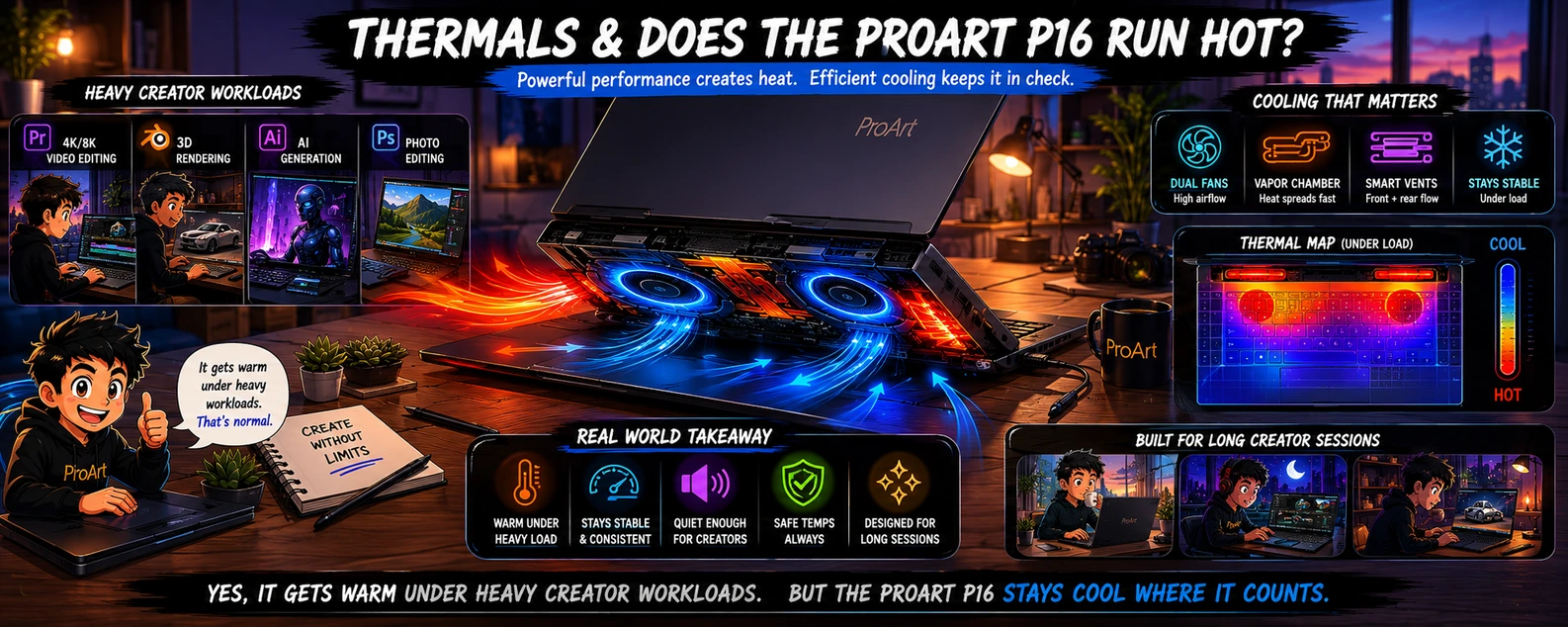
Powerful creator laptops generate heat.
That is unavoidable.
The more important question is not:
“Does it get warm?”
Instead:
“Can it sustain performance during long editing sessions, rendering, exporting, and heavy multitasking?”
That matters far more to creators than short benchmark bursts.
Over longer workloads, the ProArt P16 appears designed to prioritize workflow consistency, maintaining performance during extended sessions rather than optimizing purely for short peak numbers.
What Heat Usually Means in Real Use
During lighter tasks such as:
- Browsing
- Writing
- Office work
- Streaming
the laptop generally remains comfortable and quiet enough for everyday use.
Under heavier creator workloads involving:
- Rendering
- Exporting
- AI workloads
- Video editing
- Gaming
expect:
- Higher fan noise
- Increased surface temperatures
- Higher power consumption
Those tradeoffs are typical for powerful creator laptops.
Fan Noise: Will It Be Distracting?
🟠 Whisper Mode
Fan noise becomes noticeable under sustained workloads, although it appears more controlled than many gaming-focused machines.
During lighter workloads, quieter operating modes help reduce distraction and make the laptop more suitable for shared spaces such as libraries, offices, or cafés.
ASUS includes quieter operating modes designed to reduce noise during lighter workloads, useful for creators working in shared environments.
🟠 Gaming Changes Thermal Expectations
Gaming places different demands on cooling compared with creator applications.
During gaming, higher fan speeds become more noticeable, although this is often less important during active play than during editing or office work.
🔵 Should Thermals Stop You Buying the ProArt P16?
Thermal performance should probably not be a deciding factor for most buyers.
The more important question is whether you prioritize:
- Maximum sustained performance
- Better portability
Because thin creator laptops inevitably balance both.
But expectations matter.
Buyers should expect:
Portable workstation behavior
rather than:
Silent ultrabook behavior
Those categories come with different compromises.
🔌 Ports & Connectivity: Does the ASUS ProArt P16 Have Enough for Creators?
Ports are often overlooked in laptop reviews until people actually start working.
Then suddenly you need:
- An external monitor
- SD cards
- Fast storage drives
- Audio equipment
- USB accessories
- Ethernet adapters
- Drawing tablets
…and port selection becomes much more important.
This is one area where the 2026 ASUS ProArt P16 makes more sense than many thinner premium laptops.
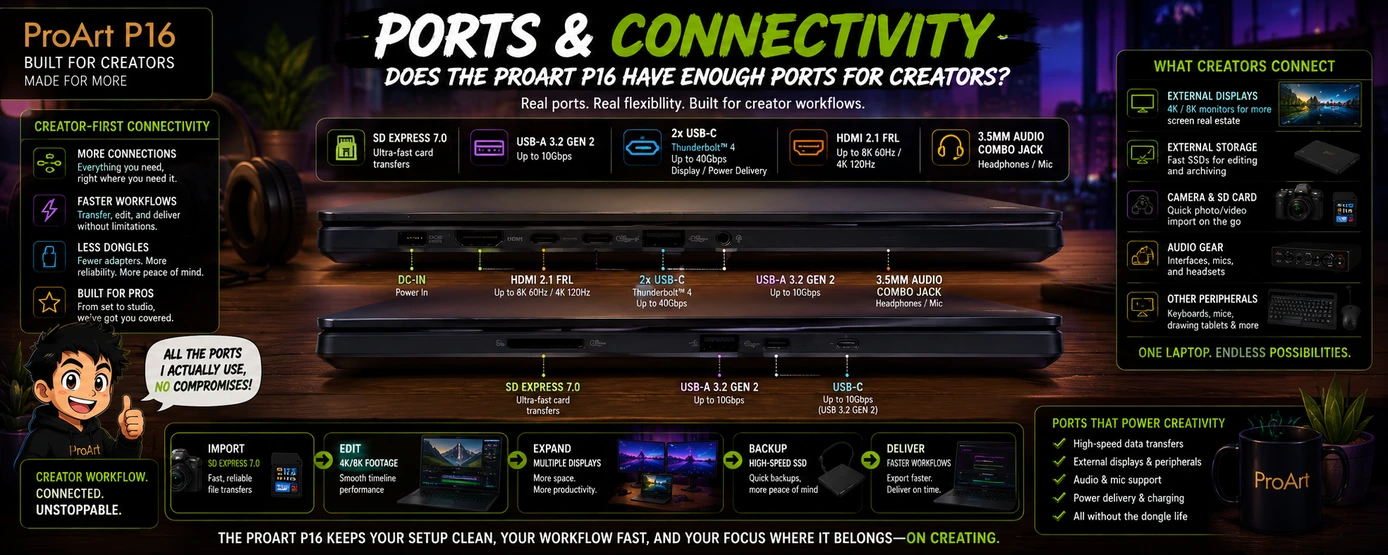
The ASUS ProArt P16 includes a creator-focused port selection designed to reduce dependence on dongles:
- ✅ 2 × USB 3.2 Gen2 Type-A (up to 10Gbps)
-
✅ 1 × USB4 Type-C with:
• Power Delivery
• Display output -
✅ 1 × USB 3.2 Gen2 Type-C with:
• Power Delivery
• Display output - ✅ HDMI 2.1
- ✅ 3.5mm audio combo jack
- ✅ SD Express 7.0 card reader
- ✅ Wi-Fi 7 + Bluetooth 5.4
For creators working with:
- External SSDs
- Cameras
- Capture devices
- Drawing tablets
- External displays
the wider port selection becomes noticeably more convenient than many thinner premium laptops. The advantage appears quickly when external drives, monitors, and accessories become part of daily workflows.
Why an SD Card Reader Still Matters
Many laptops remove SD slots.
For creators:
That can become frustrating quickly.
Photographers and video creators regularly transfer:
- Camera footage
- Drone footage
- RAW files
- Project assets
Built-in card support reduces dependence on dongles.
Small detail.
Large convenience improvement.
In practical use, the SD Express 7.0 card reader appears capable of handling large media transfers efficiently, making it useful for moving camera footage and creator assets without relying on adapters.
Built-in card support remains a small feature that often becomes a major convenience during regular editing workflows.
External Drives & Creator Workflows
Fast storage matters increasingly because professional editing workloads often involve:
- 4K footage
- RAW photography
- Project archives
- AI assets
- Large export files
Higher-speed ports reduce friction during daily work.
External Displays: Can the ProArt P16 Replace a Desk Setup?
For many users:
Yes.
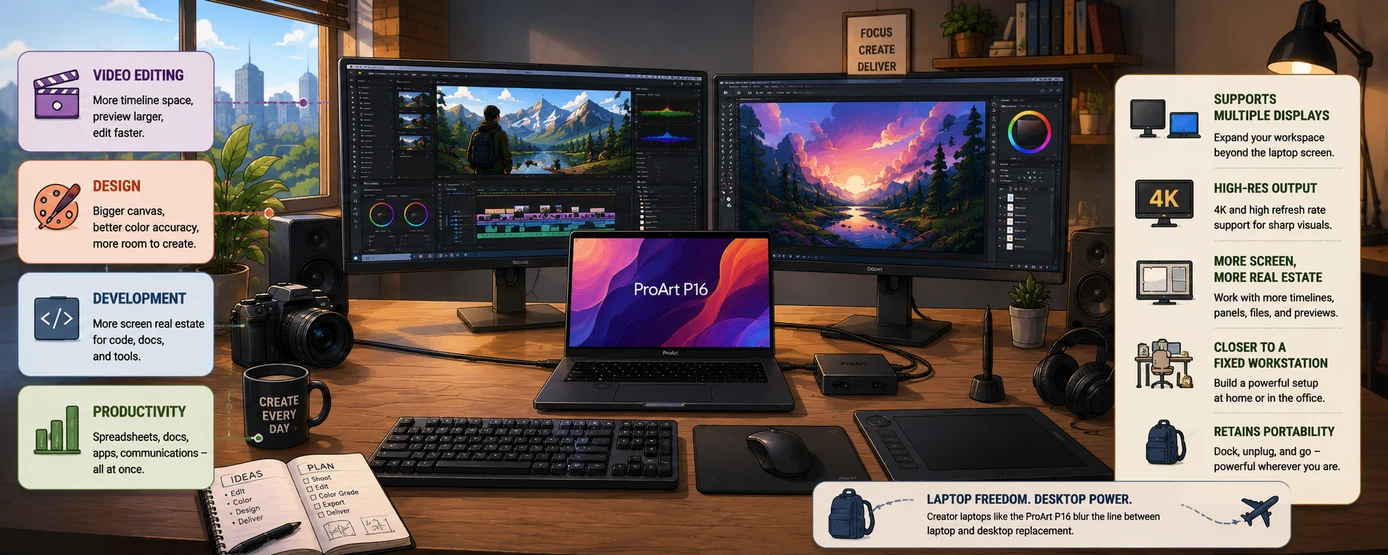
It supports external displays, making it easier to build:
Laptop + monitor + peripherals
setups at home or in offices.
External display support becomes increasingly important for:
- 🎬 Video editing
- 🎨 Design
- 💻 Development
- 📊 Productivity workflows
Multiple displays can make the ProArt P16 feel closer to a fixed workstation while retaining portability.
This is one reason creator laptops continue blurring the line between laptop and desktop replacement.
The Missing Port Some Buyers May Notice
🔵 No Built-in Ethernet
One omission some workstation buyers may notice:
No built-in RJ45 Ethernet port
For:
- Large file transfers
- Studio workflows
- Stable wired networking
an adapter or dock may still be necessary.
This is common in thinner creator laptops but worth knowing before purchase.
🔵 Wireless Connectivity
Wireless connectivity remains current with:
- Wi-Fi 7
- Bluetooth 5.4
supporting faster transfers and modern wireless peripherals.
Overall, ASUS appears to understand how creators actually work:
Cameras, storage drives, displays, accessories, and editing tools increasingly become part of daily workflows.
This machine attempts to minimize adapter dependence rather than maximize thinness alone.
Upgradeability: Can You Upgrade the ASUS ProArt P16 Later?
Upgradeability is becoming increasingly important because laptops are expensive.
Many buyers want:
More RAM later
or
Additional storage
before spending thousands of dollars.
RAM Upgradeability
This is where expectations matter.
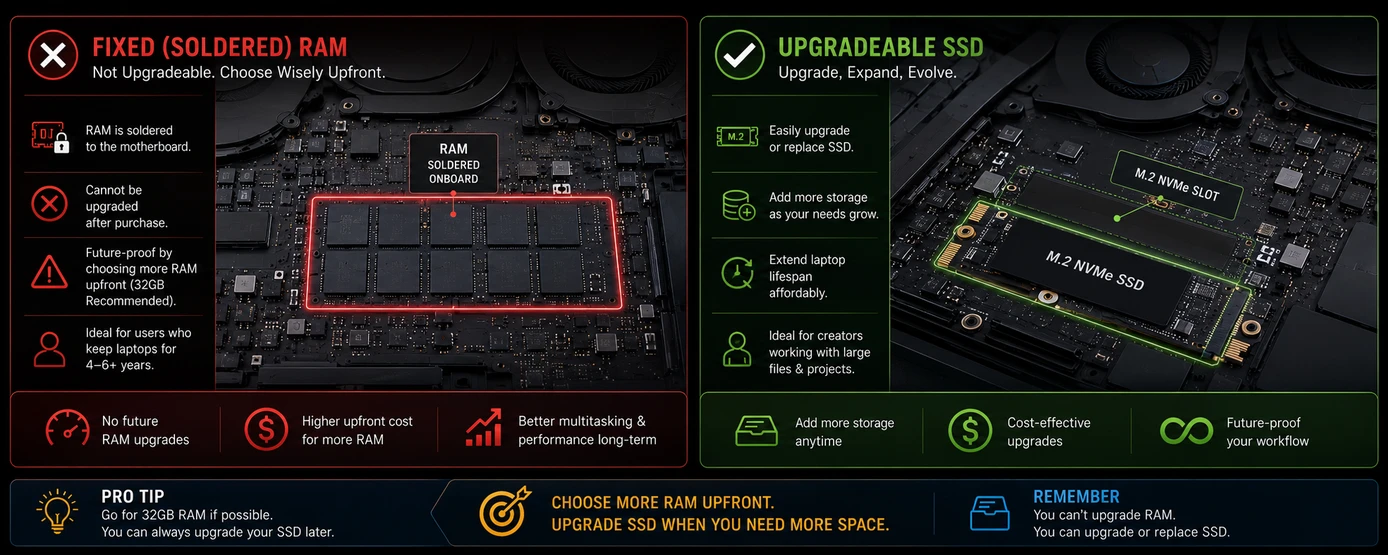
The ASUS ProArt P16 uses soldered LPDDR5X memory, meaning RAM cannot typically be upgraded after purchase.
In practical terms:
The RAM configuration chosen at purchase is generally permanent.
Choose carefully:
-
32GB RAM
Better for:
✅ Photography
✅ Photoshop
✅ Moderate video editing
✅ Productivity workloads
✅ Many creator workflows today
-
64GB RAM
Better for:
✅ Large Blender projects
✅ Heavy AI workloads
✅ Large multi-layer timelines
✅ Professional rendering
✅ Extreme multitasking
✅ Longer-term future proofing
Because creator software and AI tools continue increasing memory requirements over time, heavier users may find higher RAM configurations easier to justify upfront.
🟣 Storage Upgradeability
Storage upgradeability is generally more flexible than RAM.
This laptop includes dual M.2 slots (configuration dependent), allowing additional storage expansion or replacement depending on SKU.
Why storage matters more than buyers expect
Storage requirements grow quickly for:
- 🎬 4K video projects
- 📷 RAW photography
- 🤖 AI models
- 📁 Project archives
- 🖥 Large creative assets
Creator workflows often outgrow storage faster than buyers expect.
How Long Will the ASUS ProArt P16 Realistically Last?
This is one of the most important buying questions.
Not:
"How powerful is it today?"
Instead:
"Will it still feel fast in 4–6 years?"
Long-term usability is often more important than peak benchmark performance.
The 64GB configuration may provide more long-term flexibility.
The Good News: The Hardware Is Built for Heavy Workloads
The combination of:
- Ryzen AI 9 HX 370
- RTX 50-series graphics (configuration dependent)
- 32GB–64GB LPDDR5X RAM
- Fast SSD storage
provides a stronger starting point than ordinary productivity laptops.
Creator-focused hardware also tends to age better because it starts with significantly more performance headroom than typical productivity machines.
That usually helps longevity.
The Biggest Long-Term Risk Is RAM Choice
Because RAM is generally soldered:
Choosing:
- 32GB may remain excellent for many users.
- 64GB could provide more headroom if your workloads grow over years.
This is one reason some creators justify paying more upfront.
The growth of AI tools, larger media files, and increasingly demanding creator software may make higher-memory configurations easier to justify over longer ownership periods.
Which Matters More Long-Term: RAM or Storage?
For many buyers:
RAM decisions matter more long term
because storage is often easier to expand later while memory usually is not.
That makes choosing the correct RAM configuration more important at purchase.
Realistic Longevity Estimate
For most creator users:
The ProArt P16 could realistically remain useful for:
4–6+ years
depending on:
- Workflow growth
- Software demands
- AI adoption
- Project complexity
- RAM configuration chosen at purchase
Heavy professional users may upgrade sooner.
Moderate users or buyers choosing higher-memory configurations could potentially keep the laptop longer.
Should You Buy the 64GB Version for Longevity?
Short answer:
Only if your workloads justify it.
For many buyers:
32GB remains extremely capable.
For professionals:
64GB may be easier to justify.
The answer depends more on your work than the laptop itself.
🔄 ASUS ProArt P16 (2026) vs Older ProArt P16: Should You Save Money and Buy the Previous Version?
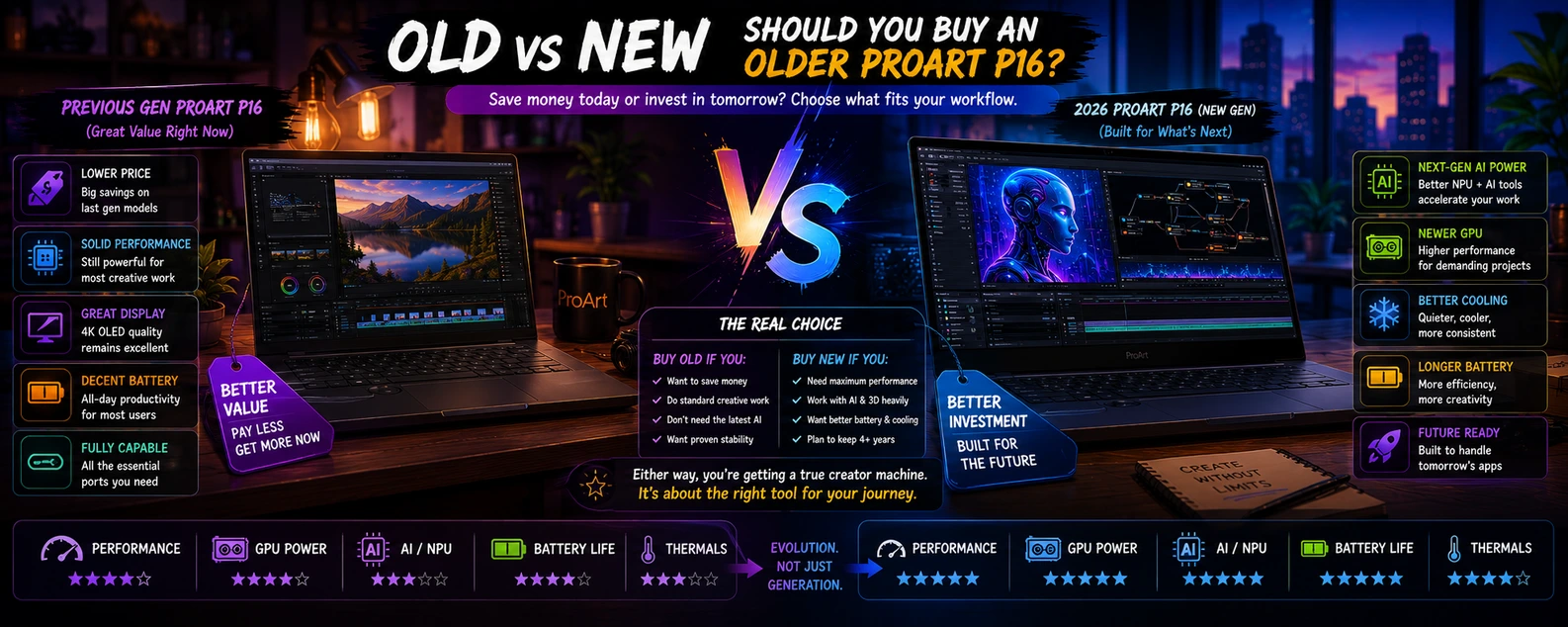
This is one of the most important buying questions because creator laptops tend to remain useful longer than ordinary consumer laptops.
Unlike budget laptops that can feel outdated quickly, high-end creator machines often stay relevant for years.
That creates an interesting dilemma:
Should you buy the newest ProArt P16, or save money by purchasing an older RTX 4060/4070 version?
The answer depends less on marketing and more on:
- Your workload
- How long you keep laptops
- Whether AI tools matter
- How important future-proofing is to you
Specifications Only Tell Part of the Story
On paper, newer hardware usually looks better.
The 2026 ProArt P16 commonly introduces:
- Newer Ryzen AI processing
- RTX 50-series graphics (configuration dependent)
- Stronger AI acceleration
- Higher refresh OLED displays
- Updated efficiency improvements
Older models commonly include:
- RTX 4060
- RTX 4070
- Earlier creator-focused Ryzen configurations
- OLED creator displays
Both remain powerful.
The difference is:
How long they continue feeling powerful.
| Feature | Older ProArt P16 | ProArt P16 (2026) |
|---|---|---|
| CPU | Older ProArt P16 Earlier Ryzen AI creator chips | ProArt P16 (2026) Ryzen AI 9 HX 370 |
| GPU | Older ProArt P16 RTX 4060 / RTX 4070 | ProArt P16 (2026) RTX 5070 / RTX 5080 / RTX 5090 |
| AI Capability | Older ProArt P16 Limited | ProArt P16 (2026) Much stronger |
| Display | Older ProArt P16 Some 4K 60Hz OLED variants | ProArt P16 (2026) 4K 120Hz ASUS Lumina Pro OLED |
| Battery Efficiency | Older ProArt P16 Good | ProArt P16 (2026) Improved efficiency |
| Future-Proofing | Older ProArt P16 Strong | ProArt P16 (2026) Better |
| Long-Term Value | Older ProArt P16 Higher discount value | ProArt P16 (2026) Better longevity |
What Do Those Differences Actually Mean in Real Usage?
Specifications become more meaningful when translated into everyday workflows.
Because most buyers do not ask:
"How many TOPS does the AI engine provide?"
Instead they ask:
"Will I notice the difference while working?"
That is a much better question.
🎨 Photoshop & Photography
For photographers and lighter creators:
The difference may feel smaller.
Tasks like:
- Lightroom
- RAW editing
- Photoshop
- Illustration
already run well on older creator hardware.
This is one reason discounted previous-generation models remain attractive.
🖥 3D Rendering & Blender
This is where newer hardware becomes easier to justify.
Heavy rendering workloads benefit more from:
- Stronger GPU performance
- Better AI acceleration
- Efficiency improvements
If 3D work generates income:
Buying newer hardware becomes easier to justify financially.
🎬 Video Editing: Will Exports Feel Faster?
If your workflow includes:
- Premiere Pro
- DaVinci Resolve
- Multi-layer timelines
- Effects
- 4K footage
…newer RTX 50-series configurations may provide noticeable improvements depending on project complexity, exact GPU configuration, and workload type.
For occasional creators:
Older ProArt models remain extremely capable.
For professionals exporting daily:
Small improvements accumulate over years.
Time saved repeatedly becomes valuable.
🤖 AI Workloads Could Become the Biggest Difference Over Time
This area deserves attention because it may matter more in 3–5 years than it does today.
AI is increasingly appearing in:
- Editing software
- Design tools
- Productivity software
- Local AI models
- Image generation
- Workflow automation
The newer ProArt P16 is positioned more strongly for these workloads.
Older models are not obsolete.
But future software may increasingly favor newer AI hardware.
The Display Difference Matters More Than Many Buyers Expect
Older creator laptops often focused on:
Maximum resolution
Newer creator laptops increasingly balance:
Resolution + refresh rate
That matters because:
120Hz displays can improve:
- Timeline scrubbing
- Animation work
- Motion design
- General responsiveness
Higher refresh rates help, but display quality also depends on factors such as color accuracy, HDR capability, and creator-focused calibration.
Buy the Older ProArt P16 If:
Choose an older discounted model if:
- You find a significant sale
- Editing is your main workload
- Gaming is occasional
- You want maximum value per dollar
- You upgrade laptops every few years
Older ProArt models remain excellent creator machines.
Discount pricing can make them difficult to ignore.
Buy the ASUS ProArt P16 (2026) If:
The newer model makes more sense if:
- You plan to keep your laptop 5+ years
- AI workflows matter
- You work heavily in Blender or rendering software
- You want stronger long-term performance
- You prefer buying once and upgrading less often
The newer model targets buyers prioritizing longer-term creator performance and stronger future-focused hardware.
So… Is the Upgrade Worth Paying For?
The better choice usually depends on how often you upgrade hardware.
Some buyers prefer:
- Spend less → upgrade more often
- Spend more → keep hardware longer
Neither approach is automatically wrong.
For creators whose laptop directly affects income:
The newer ProArt P16 may justify its higher price through longevity alone.
For value-focused buyers:
Older discounted versions remain surprisingly compelling.
🔄 ASUS ProArt P16 vs MacBook Pro 16: Which Is Better for Creators?
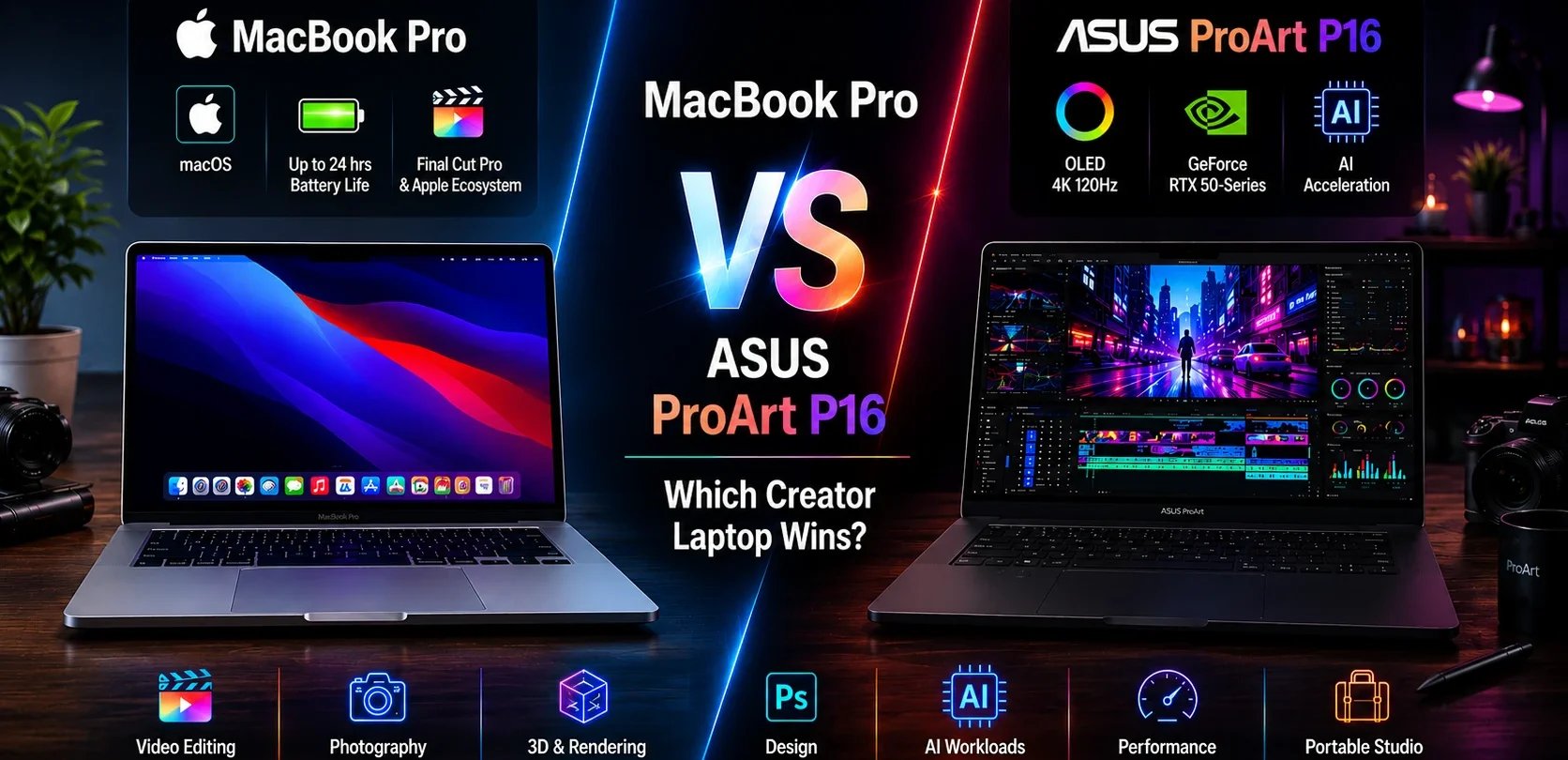
The ASUS ProArt P16 and MacBook Pro 16 target a surprisingly similar audience:
- 🎬 Video editors
- 📷 Photographers
- 🎨 Designers
- 🖥 3D artists
- 🤖 AI users
- 💻 Professional content creators
The difference is that they approach creator workflows very differently.
The MacBook Pro focuses on:
- ✅ Battery life
- ✅ macOS ecosystem
- ✅ Apple software integration
- ✅ Efficiency
- ✅ Long-term consistency
The ProArt P16 focuses more on:
- ✅ RTX acceleration
- ✅ Windows flexibility
- ✅ AI workloads
- ✅ Gaming capability
- ✅ Touchscreen and stylus support
- ✅ Creator-focused hardware controls
Neither is universally better.
The better choice depends on how you work.
🖥 Display: The ProArt P16 Has an Advantage
According to long-term MacBook Pro users, the 16-inch ASUS Lumina OLED display is one of the strongest reasons to consider the ProArt P16 over Apple's alternative.
The ProArt P16 offers:
- ✅ 16-inch OLED touchscreen
- ✅ Up to 1600 nits peak HDR brightness
- ✅ 120Hz refresh rate
- ✅ 100% DCI-P3 color coverage
- ✅ Touch support
- ✅ Active stylus support
For:
- 🎨 Illustration
- 📷 Photography
- 🎬 Color grading
- ✏️ Design work
…the OLED panel may feel more flexible than the MacBook Pro display thanks to touch and pen support combined with higher refresh rates.
MacBook Pro displays remain excellent.
Some creators may prefer the ProArt P16’s OLED touchscreen, active stylus support, higher refresh rate, and creator-focused flexibility over Apple’s approach, despite the MacBook Pro remaining one of the best laptop displays available.
⚡ Performance: Video Editing Can Be Surprisingly Competitive
Comparisons against an M4 Max MacBook Pro have shown:
Up to ~2.5× faster ProRes 422 encoding performance in specific workflows.
That does not automatically mean the ProArt wins all workloads.
Performance depends heavily on:
- Software used
- Project complexity
- Codecs
- Workflow
However, creators working in:
- 🎬 DaVinci Resolve
- 🎞 Premiere Pro
- 🖥 GPU-accelerated workloads
may benefit more from RTX acceleration.
🤖 AI Workloads: Windows Currently Has an Edge
This may become increasingly important over time.
The ProArt combines:
Ryzen AI NPU + RTX AI acceleration + Copilot+ PC features
which can help with:
- ✅ Generative edits
- ✅ AI image tools
- ✅ Local AI models
- ✅ Workflow automation
- ✅ AI-assisted creative software
AI capability is becoming harder to ignore for long-term buyers.
🎮 Gaming: One Laptop Does More
This is simple:
The ProArt P16 can handle modern games.
The MacBook Pro remains far more limited for AAA gaming.
If gaming matters at all:
The ProArt immediately becomes more attractive.
✏️ Creator Features: ASUS Adds Hardware Tools Apple Does Not
The ProArt includes:
ASUS DialPad
which allows adjustments for:
- Timeline scrubbing
- Brush controls
- Zoom
- Volume
- Editing shortcuts
For some creators:
That becomes a surprisingly useful workflow tool.
Touchscreen + stylus support add another layer Apple currently lacks.
🔋 Battery Life: MacBook Still Wins
The MacBook Pro remains difficult to beat for:
- ✅ Efficiency
- ✅ Long unplugged sessions
- ✅ Battery endurance
Creators prioritizing mobility may still prefer Apple's approach.
💰 Which Should Creators Buy?
Choose the MacBook Pro 16 if you prioritize:
- ✅ Battery life
- ✅ macOS
- ✅ Apple ecosystem
- ✅ Long unplugged workflows
Choose the ASUS ProArt P16 if you prioritize:
- ✅ RTX acceleration
- ✅ AI workflows
- ✅ Gaming capability
- ✅ Touchscreen + stylus support
- ✅ DialPad creator tools
- ✅ Windows flexibility
Final Thought
The ProArt P16 may be one of the closest Windows alternatives to a MacBook Pro 16 currently available.
Not because it copies Apple—
but because it attempts something similarly ambitious:
Deliver workstation-class creator performance inside a laptop that remains portable enough for everyday use.
🏁 Final Verdict: Is the ASUS ProArt P16 Worth Buying in 2026?
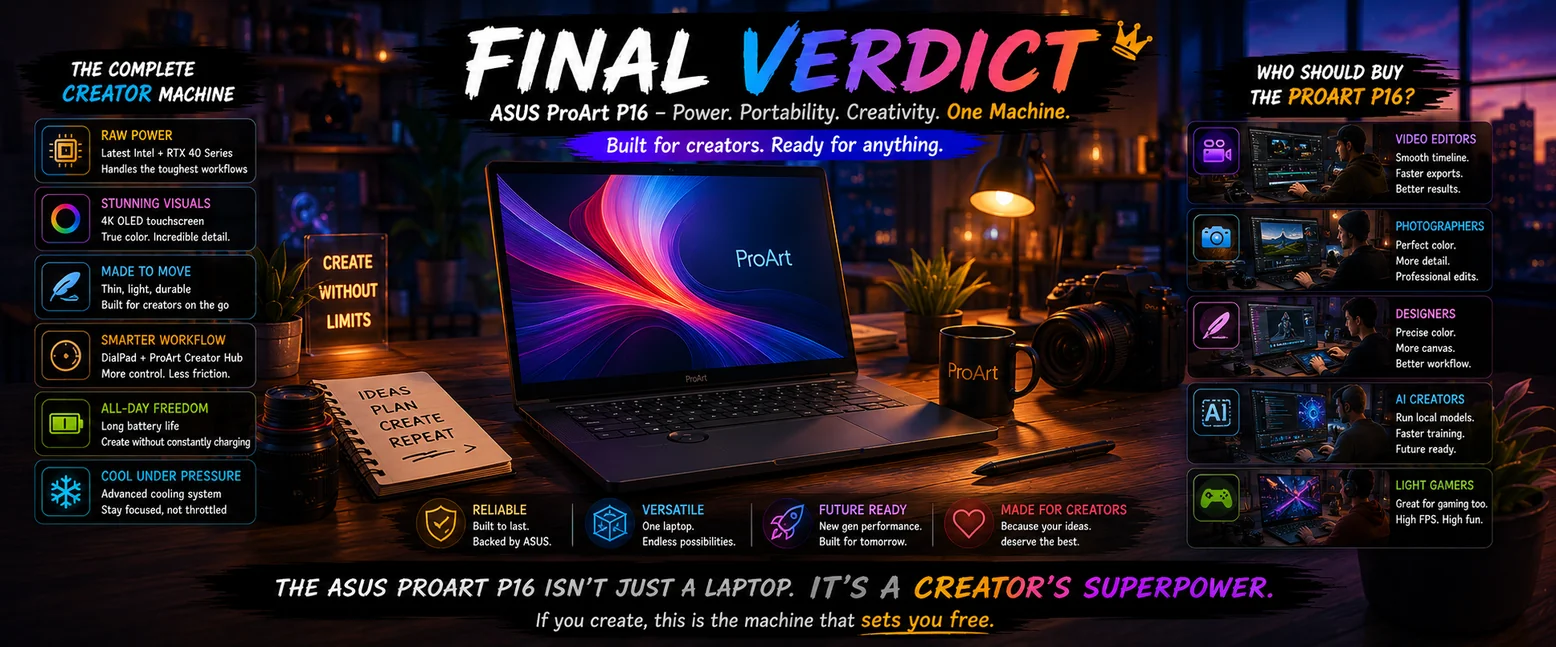
The ASUS ProArt P16 is one of those laptops that becomes difficult to place into a single category.
It is not simply:
- A gaming laptop
- A workstation
- An ultrabook
- A traditional creator laptop
Instead, ASUS appears to be targeting something more ambitious:
A machine capable of handling demanding creative workloads while remaining portable enough to replace multiple devices at once.
That idea sounds impressive in marketing.
What buyers should ask instead:
Does it work in practice?
For creators earning income from demanding workloads, the answer may often be:
Yes — provided your workflow actually benefits from this level of hardware.
The Biggest Strength of the ProArt P16 Is Not Raw Performance
The obvious strengths include:
- ✅ Powerful Ryzen AI processing
- ✅ RTX 50-series graphics (configuration dependent)
- ✅ OLED display quality
- ✅ Creator software ecosystem (Copilot+, MuseTree, StoryCube, Creator Hub)
- ✅ AI readiness
- ✅ Premium build quality
Those matter.
But the most interesting strength is something harder to measure:
Flexibility
The ProArt P16 attempts to become:
- Editing machine
- Creative workstation
- AI laptop
- Productivity system
- Travel workstation
- Occasional gaming machine
without requiring separate devices.
For some users:
That could justify the price alone.
The Biggest Weakness Is Also Easy to Understand
The ProArt P16 asks buyers to accept compromises.
It remains:
- Large
- Expensive
- Less portable than smaller laptops
- Potentially excessive for lighter workloads
This is not the obvious choice for:
Students,
casual users,
or buyers mainly browsing the web.
For those users:
Less expensive laptops often make more sense.
The Buyers Who May Appreciate It Most
It becomes easier to recommend if your laptop helps generate income.
Examples include:
- 🎬 Video editors
- 📷 Photographers
- 🎨 Designers
- 🖥 3D artists
- 🤖 AI creators
- 💻 Developers
- 🏢 Creative professionals
For those users:
Spending more upfront can become easier to justify when performance saves time repeatedly.
The Real Question Buyers Should Ask
Not:
"Is the ASUS ProArt P16 powerful?"
Because the answer is obviously yes.
Instead ask:
"Will I actually use this level of performance often enough to justify the cost?"
That question produces a better buying decision.
So, Is the ASUS ProArt P16 Worth Buying in 2026?
Buy it if you want:
- ✔ Strong creator performance
- ✔ RTX acceleration
- ✔ OLED quality
- ✔ Long-term hardware
- ✔ One laptop for multiple demanding workflows
- ✔ Strong port selection with reduced dongle dependence
- ✔ Creator-focused features such as ASUS DialPad and ProArt Creator Hub
Avoid it if you prioritize:
- ✖ Maximum portability
- ✖ Lower pricing
- ✖ Simple productivity workloads
- ✖ Travel-first designs
Final Rating:
The ASUS ProArt P16 earns its place as one of the more interesting creator laptops available because it attempts something difficult:
Deliver workstation-level capability without becoming a traditional bulky workstation.
It will not suit everyone.
But for the right creator,
the ProArt P16 may realistically replace several devices at once.
And that is what makes it worth considering.
👉 You can check current pricing, specifications, and available ASUS ProArt P16 configurations on Amazon.
❓ Frequently Asked Questions About the ASUS ProArt P16

❓ Is the ASUS ProArt P16 good for video editing?
Yes. This laptop was built with that in mind
The combination of the Ryzen AI 9 HX 370, RTX 50-series, fast SSD storage, and OLED display makes the ProArt P16 well suited for demanding workflows including:
- Adobe Premiere Pro
- DaVinci Resolve
- After Effects
- 4K editing
- Color grading
Heavier users may benefit from the 64GB RAM version.
❓ Can the ASUS ProArt P16 replace a desktop for creators?
For many creators:
Yes.
Its combination of Ryzen AI processing, RTX graphics, high RAM configurations, and support for external monitors makes it capable of replacing a desktop for editing, design, rendering, development, and AI workflows.
However, professionals running extreme multi-monitor setups or constant heavy rendering may still prefer dedicated workstations.
❓ How much does the ASUS ProArt P16 weigh, and is it heavy for travel?
The ProArt P16 is portable for a creator workstation, but it remains a large 16-inch laptop.
Frequent travelers may prefer smaller travel laptops.
Creators needing more performance may accept the extra size.
Better than many traditional workstations.
Less portable than ultrabooks.
Buyers should also consider the weight of the included high-wattage charger rather than chassis weight alone.
The ASUS ProArt P16 weighs approximately 1.85–1.95kg (4.1–4.3 lbs) depending on configuration.
The included 240W charger adds around 760g (1.67 lbs) total, including cables, bringing the combined travel weight to roughly 2.61–2.71kg (5.77–5.97 lbs).
For a 16-inch creator laptop, that is still relatively portable, but daily commuters, students, and frequent travelers may notice the extra weight compared to ultrabooks or smaller laptops. Compared to traditional workstation laptops, however, the ProArt P16 remains easier to carry.
❓ Should you buy the older ProArt P16 instead?
Potentially.
Older discounted ProArt models can still offer excellent creator performance.
The newer 2026 model makes more sense for buyers wanting:
- Better longevity
- Stronger AI capability
- Longer upgrade cycles
❓ Does the ASUS ProArt P16 have a backlit keyboard?
Yes.
The ASUS ProArt P16 includes a backlit keyboard with single-zone white lighting, designed to fit the laptop’s professional creator-focused aesthetic rather than a gaming style for late-night workflows.
Unlike gaming laptops, ASUS keeps the lighting subtle and practical rather than flashy.
❓ Is the ASUS ProArt P16 keyboard and trackpad good?
Yes.
Typing on the ASUS ProArt P16 feels comfortable thanks to well-spaced keys and sufficient travel, making it suitable for longer editing, writing, and productivity sessions.
The large glass trackpad is responsive and supports accurate Windows gestures.
The laptop also includes ASUS DialPad, integrated into the trackpad, which can help with creator workflows such as:
- Timeline scrubbing in video editing
- Brush adjustments in creative software
- Zoom controls
- Volume changes
- Brightness adjustments
Unlike many experimental creator features, ASUS DialPad may become genuinely useful once incorporated into regular workflows.
❓ Does the ASUS ProArt P16 have RGB lighting?
No.
The ASUS ProArt P16 does not include RGB keyboard lighting.
Instead, ASUS uses a single-zone white backlit keyboard, matching the laptop’s more professional and creator-focused design philosophy.
This makes the ProArt P16 feel more appropriate in:
- 🏢 Offices
- ☕ Coffee shops
- 🎬 Studios
- 💼 Client meetings
rather than emphasizing a gaming aesthetic.
❓ How long does the ASUS ProArt P16 take to charge?
The ASUS ProArt P16 can charge from 0% to around 60% in approximately 49 minutes using its included high-wattage charger.
A full charge typically takes about 2 hours.
The laptop supports fast charging, although charging speeds slow after roughly 80% to help preserve long-term battery health.
It also supports up to 100W USB-C charging, which is convenient for travel.
However, USB-C charging is not ideal for heavy workloads such as video editing, rendering, or gaming where the included 200W–240W charger performs much better.
❓ Is the ASUS ProArt P16 webcam good for video calls and remote work?
Yes.
The ASUS ProArt P16 includes an FHD (1080p) IR webcam with Windows Hello facial recognition for faster and more secure logins.
Additional webcam and security features include:
- 1080p resolution for meetings and video calls
- IR camera + Windows Hello support
- AI background blur and lighting correction
- Presence detection with adaptive dimming and walk-away lock features
- Built-in 3-microphone array with AI noise cancellation
For most users, the webcam is suitable for meetings, remote work, and everyday video calls, although dedicated creators may still prefer an external camera for professional content production.
❓ Are the ASUS ProArt P16 speakers good?
Yes.
The ASUS ProArt P16 features high-quality built-in speakers that produce clear, full-bodied sound with enough volume for editing, media consumption, and previewing projects without always needing external speakers.
For many creators, the speakers are good enough for:
- Video playback
- Content previews
- Casual listening
- Editing workflows
- Everyday media use
While dedicated monitors or headphones remain preferable for professional audio work, the ProArt P16 performs surprisingly well for a creator laptop.