

Disclosure: As an Amazon Associate, Best Digital Nomad Gear earns from qualifying purchases. This does not affect our reviews or recommendations. We only recommend products we believe provide genuine value to our readers.
The ASUS Zenbook A14 is one of the most interesting laptops currently available because it focuses on something many modern laptops have forgotten:
👉 portability that actually feels meaningful in daily life.
A lot of laptops claim to be “thin and light,” but once you carry them around every day, commute with them, use them in coffee shops, or travel through airports with them, the differences become obvious very quickly.
The Zenbook A14 is different.
This laptop is built around mobility first:
That focus gives it a very clear identity.
This is not a gaming laptop.
This is not a creator workstation.
This is not a raw-performance machine trying to dominate benchmark charts.
Instead, the ASUS Zenbook A14 feels designed for people who genuinely move around a lot and want a laptop that disappears into their daily workflow instead of constantly reminding them it exists.
That makes it one of the most compelling travel laptops and lightweight Windows laptops currently available — especially for people searching for one of the best lightweight Windows laptops for travel.
But there is also an important reality check here:
the Zenbook A14 uses Qualcomm Snapdragon ARM hardware instead of traditional Intel or AMD processors.
That changes the experience in both good and bad ways.
So in this review, we are not just looking at specifications.
We are looking at what this laptop actually feels like to live with daily.
Because that is where the Zenbook A14 either becomes an incredible purchase…
or the wrong laptop entirely depending on your workflow.
⚙️ ASUS Zenbook A14 Specifications
| Specification | ASUS Zenbook A14 |
|---|---|
| CPU | Qualcomm Snapdragon X / X Plus / X Elite (depending on configuration) |
| Cores | 8-Core to 12-Core Configurations |
| Boost Clock | Up to 3.4GHz |
| GPU | Qualcomm Adreno Integrated Graphics |
| NPU | Qualcomm Hexagon NPU (Copilot+ PC Certified) |
| Memory | 16GB or 32GB LPDDR5X |
| Storage | 512GB, 1TB, or 2TB PCIe Gen4 SSD (depending on configuration) |
| Display | 14-inch ASUS Lumina OLED |
| Resolution | 1920 × 1200 (WUXGA) |
| Aspect Ratio | 16:10 |
| Ports | 2× USB4 Type-C, USB-A, HDMI 2.1, 3.5mm Audio Jack |
| Wireless | Wi-Fi 7 + Bluetooth 5.4 |
| Battery | 70Wh |
| Weight | Under 1kg (≈2.2 lbs) |
| Operating System | Windows 11 |
| Best For | Travelers, Digital Nomads, Students, and Remote Workers |
Snapdragon X Processor & Real-World Performance

Depending on the configuration, the Zenbook A14 is available with multiple Qualcomm Snapdragon X-series processors, including Snapdragon X, Snapdragon X Plus, and Snapdragon X Elite variants.
ASUS officially lists configurations with:
depending on the specific model and region.
And honestly, this is important because the Zenbook A14 is not designed around raw workstation-class power.
Instead, these processors are heavily focused on:
That approach fits the identity of this laptop extremely well.
The additional cores and modern ARM architecture help the Zenbook A14 feel smooth during everyday multitasking workloads like:
And when combined with the available 32GB RAM configuration, the laptop starts feeling much more capable for long-term daily usage than many people initially expect from an ultra-light device.
This is especially noticeable when running:
Instead of chasing maximum benchmark performance, ASUS clearly prioritized creating a laptop that feels efficient, responsive, quiet, and comfortable during real-world daily use.
For the type of users this laptop targets, that was probably the correct decision.
Design & Build Quality

The Zenbook A14 immediately feels different when you pick it up.
Not “slightly lighter.”
Not “pretty portable.”
Actually light.
And that difference matters more than spec sheets make it seem.
A lot of people underestimate how noticeable laptop weight becomes when:
Once a laptop becomes light enough, you stop thinking about carrying it entirely.
That is the experience the Zenbook A14 is aiming for.
The chassis uses ASUS’s Ceraluminum material, which helps keep the laptop lightweight while still maintaining a premium feel.
Importantly, it does not feel cheap.
Some lightweight laptops feel hollow or fragile because manufacturers reduce weight too aggressively. The Zenbook A14 still feels structurally solid while remaining extremely portable.
This is where ASUS made a very smart design decision:
they did not design this laptop to impress benchmark enthusiasts.
They designed it for real daily movement.
That is a completely different philosophy.
One of the Best Travel Laptops Right Now

This laptop makes the most sense when viewed as a travel-focused machine.
That changes how you evaluate it.
For example:
The Zenbook A14 performs extremely well in these areas.
Because the Zenbook A14 is built so heavily around mobility, it fits naturally into categories like:
And honestly, that positioning feels completely intentional rather than accidental.
ASUS clearly designed this laptop around people who move frequently instead of staying at a desk all day.
And unlike many ultralight laptops, ASUS did not completely remove useful connectivity.
You still get:
That matters because travel laptops often become frustrating when adapters are required for everything.
The Zenbook A14 avoids much of that annoyance.
What the ASUS Zenbook A14 Actually Feels Like to Use Every Day
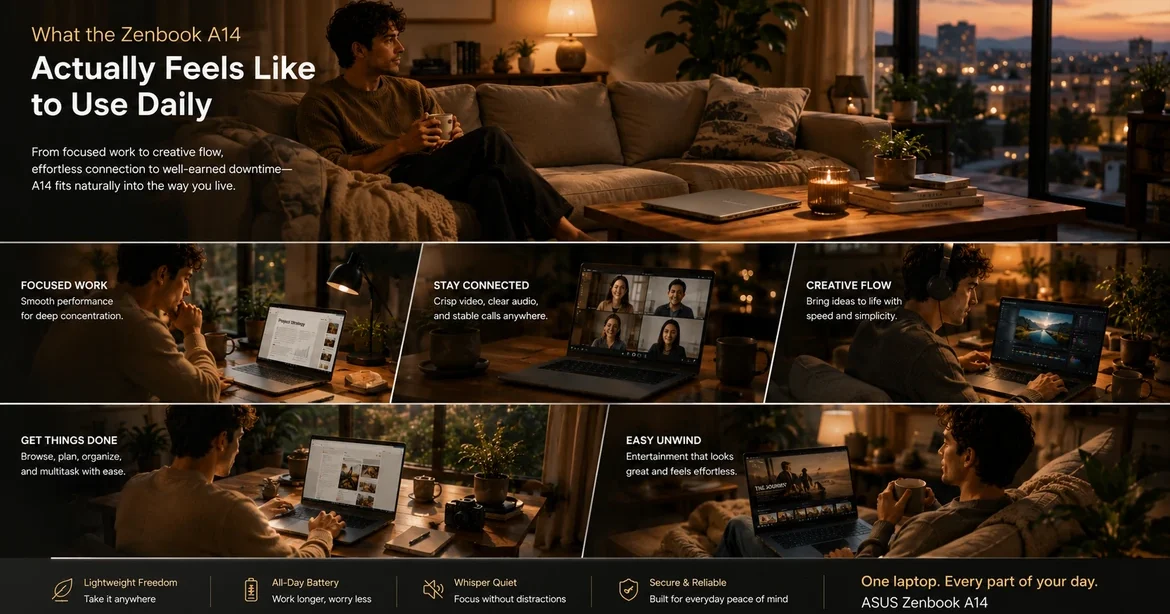
🔵 My First Few Weeks Using the Zenbook A14
The first thing that stood out to me about the Zenbook A14 was how unusually light it feels.
Not “light for a laptop.”
Actually light in a way that changes how often you naturally want to carry it around.
After using it for a while, I noticed something interesting:
That sounds simple, but it actually changes the overall laptop experience quite a lot.
The Zenbook A14 feels less like a machine you “set up” somewhere and more like something that naturally follows you through the day.
I also quickly noticed how calm the laptop feels during normal usage.
The Snapdragon platform keeps the experience feeling:
And honestly, after the first few weeks, the biggest thing I noticed was not raw performance — it was how little friction the laptop added to everyday routines.
🟢 After Months of Using the Zenbook A14
After using the Zenbook A14 for a much longer period of time, the biggest surprise was how consistently enjoyable it remained to use.
A lot of thin-and-light laptops feel impressive initially but become more frustrating over time because of:
The Zenbook A14 surprisingly avoids a lot of that.
Over time, I found myself trusting the battery more and more.
There were plenty of situations where I simply stopped worrying about outlets entirely because the battery life felt genuinely dependable during normal productivity usage.
The portability also continued to matter long term.
Even months later, the lightweight chassis still makes a noticeable difference during:
The ARM Windows experience also became much clearer with long-term use.
Most normal everyday apps worked very well for me, especially:
However, after extended usage, I also started noticing the current reality of Windows ARM app compatibility a bit more clearly.
Most modern applications worked perfectly fine during normal daily usage, but some software still runs through Microsoft’s emulation layer instead of running fully native on the Snapdragon X platform.
In real-world usage, this usually is not a major problem for normal productivity workflows, but certain apps can occasionally feel slightly less optimized compared to traditional Windows laptops running Intel or AMD hardware.
That does not ruin the experience at all, but it is something worth being aware of before buying any ARM Windows laptop.
And honestly, after months of using the Zenbook A14, the biggest thing that stood out to me was how effortless the overall experience continued to feel.
Does the Zenbook A14 Have the ASUS Glass NumberPad Trackpad?
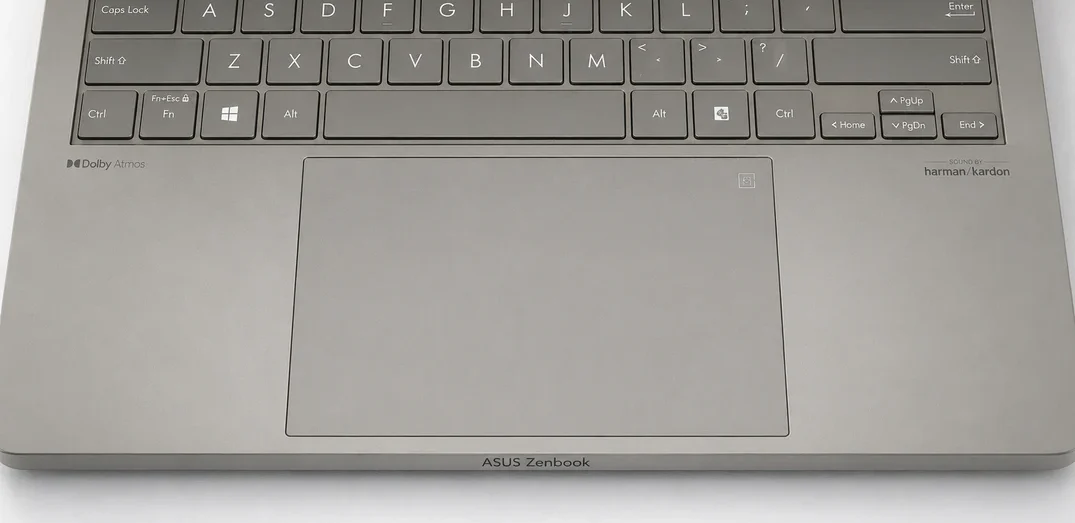
No. The ASUS Zenbook A14 does not include ASUS’s illuminated NumberPad touchpad overlay found on some other Zenbook models.
Instead, ASUS focuses more heavily here on:
Some older ASUS Zenbook models — including the ASUS Zenbook 14 UX425 — do include ASUS's integrated NumberPad feature.
That feature allows the trackpad to transform into a virtual numeric keypad for users who regularly work with numbers, spreadsheets, calculations, or data entry workflows.
However, the Zenbook A14 instead uses a more modern large precision touchpad design focused around simplicity, comfort, and clean everyday usability.
And honestly, that decision actually fits the overall identity of the Zenbook A14 extremely well because the laptop feels heavily optimized around:
rather than adding additional productivity hardware features into the touchpad itself.
Ports & Connectivity
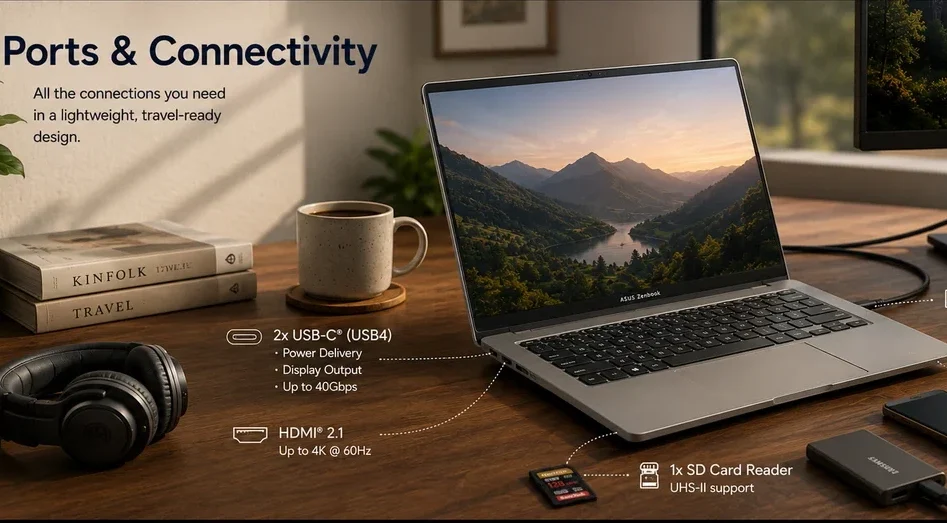
One of the smartest decisions ASUS made with the Zenbook A14 was not sacrificing practicality just to make the laptop thinner or lighter.
This matters a lot because many ultra-light laptops become frustrating travel companions once you actually start using them outside your home.
A lot of thin laptops today force users into carrying:
—and once that starts happening, part of the portability advantage disappears.
The Zenbook A14 avoids much of that frustration.
You still get a genuinely useful selection of modern ports, including:
And honestly, that is a major advantage for travelers, remote workers, commuters, and everyday productivity users.
Because in real-world travel situations, ports matter more than people think.
Being able to connect a monitor, plug in older USB devices, transfer photos from an SD card, or charge accessories without constantly reaching for adapters makes the laptop feel far more practical in daily use.
Why This Matters for Travel
If you regularly work:
then needing fewer adapters becomes a huge quality-of-life improvement.
For example:
This creates a more relaxed experience overall because you are not constantly worrying about:
That is especially important for digital nomads and lightweight travel setups.
Does the ASUS Zenbook A14 Need a USB Hub?
For many users: 👉 surprisingly, no.
That is one of the laptop’s strongest advantages compared to some competing ultraportables.
If your workflow mainly involves:
the built-in ports will likely handle most daily situations comfortably.
However, some users may still want a USB hub if they regularly use:
But importantly: the Zenbook A14 does not feel aggressively dependent on adapters the way some ultra-thin laptops do.
That makes it much better suited for travel-focused workflows.
Wireless Connectivity
The Zenbook A14 also benefits from modern wireless connectivity.
For travelers and remote workers, strong wireless connectivity matters because this laptop is clearly designed around:
And because many users buying this laptop will primarily work wirelessly, the overall connectivity experience feels modern, clean, and far less restrictive.
Real-World Portability Advantage
This section may sound small, but it actually contributes heavily to why the Zenbook A14 works so well as a travel laptop.
Because true portability is not just:
It is also:
👉 how little extra stuff you need to carry.
And ASUS made very smart decisions here by balancing:
without making the laptop feel restrictive during everyday travel workflows.
Why the Zenbook A14 Works So Well for Travel
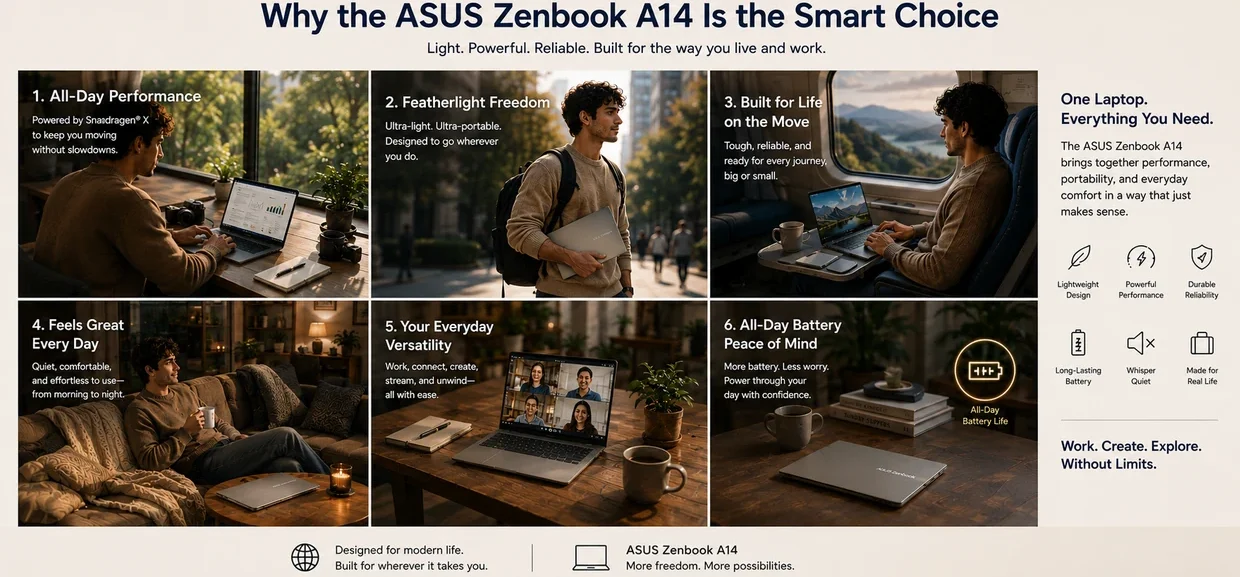
Some laptops are technically portable.
The Zenbook A14 feels intentionally built for travel.
That distinction matters.
Because once you start traveling regularly with a laptop, completely different priorities become important:
This is where the Zenbook A14 performs extremely well.
And importantly, ASUS did not chase thinness at the expense of practicality.
You still get:
which helps the laptop feel realistic for actual travel instead of just looking portable in marketing photos.
The quieter Snapdragon platform also works very well for travel environments because the laptop feels calmer during everyday use.
That matters in:
And during travel, battery confidence becomes one of the laptop’s biggest advantages.
The Zenbook A14 feels designed for situations where:
That fits extremely well with:
You spend less time:
That freedom becomes one of the laptop’s biggest strengths.
Display Experience
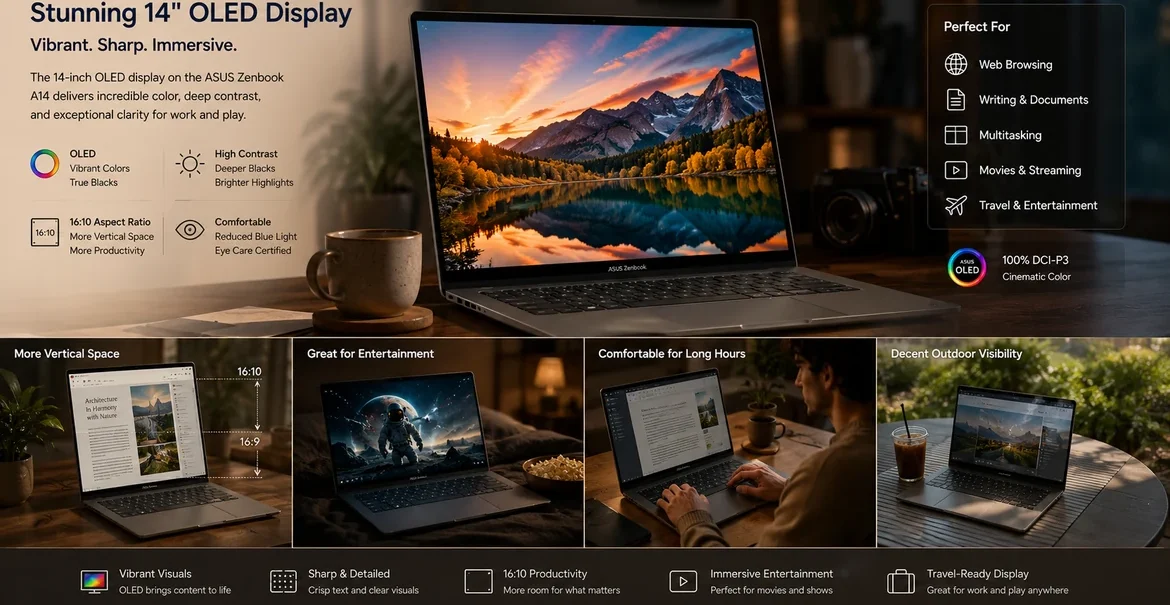
The 14-inch OLED display is one of the strongest parts of the laptop.
ASUS has consistently done well with OLED panels, and the Zenbook A14 continues that trend.
The display looks:
The 16:10 aspect ratio also helps significantly for everyday work because you get more vertical space compared to traditional 16:9 laptops.
That makes:
feel noticeably more comfortable.
For travel usage, the OLED display also works very well for:
which honestly fits the identity of this laptop perfectly.
Outdoor visibility is decent, although like many glossy OLED displays, reflections can still become noticeable in very bright environments.
Webcam & Video Call Experience

For a laptop designed around mobility and remote productivity, webcam quality matters more than ever.
And honestly, this is an area many lightweight laptops still get wrong.
The Zenbook A14 feels much more aligned with modern remote-work expectations.
For users regularly attending:
the laptop feels properly designed for communication-focused workflows.
And because the Snapdragon platform is heavily optimized around efficiency and AI-assisted features, the overall video-call experience feels smoother and more modern than many older ultraportables.
This fits the identity of the Zenbook A14 extremely well because the laptop clearly targets people who work from multiple locations instead of staying at a single desk all day.
For:
that becomes genuinely important during long-term ownership.
Snapdragon Performance & ARM Windows Compatibility
The ASUS Zenbook A14 uses Qualcomm Snapdragon hardware instead of traditional Intel or AMD processors, and that changes the experience in several important ways.
The biggest advantages are:
For normal daily workloads like:
the laptop generally feels smooth, fast, and extremely comfortable to use.
However, Windows ARM still requires slightly more buyer awareness compared to traditional Windows laptops or Apple Silicon MacBooks.
Most modern everyday applications work well, but some specialized software, older programs, certain games, and niche professional tools may still have compatibility limitations or rely on emulation.
For users focused mainly on:
the Zenbook A14 can feel excellent.
But users heavily dependent on specialized Windows software should still verify compatibility before buying any ARM-based laptop.
Battery Life
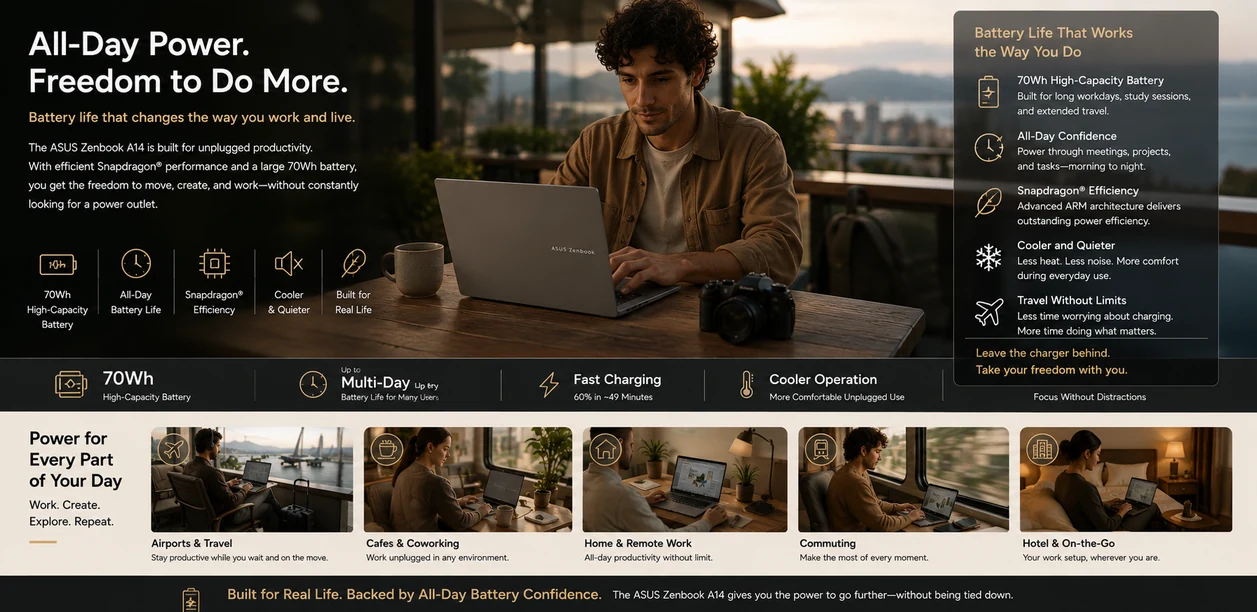
Battery life is one of the biggest reasons to consider this laptop.
And importantly:
this is not just “benchmark battery life.”
This is the kind of battery life that changes how you actually use the laptop.
The Zenbook A14 feels designed for people who want to:
That experience matters more than raw numbers.
Efficient Snapdragon hardware combined with the large 70Wh battery creates a laptop that can comfortably handle long workdays for many users.
And because the laptop also runs cooler and quieter than many traditional laptops, the entire unplugged experience feels more relaxed.
This is one of the strongest real-world advantages of ARM Windows laptops.
The Comfort Advantage of Lightweight Laptops
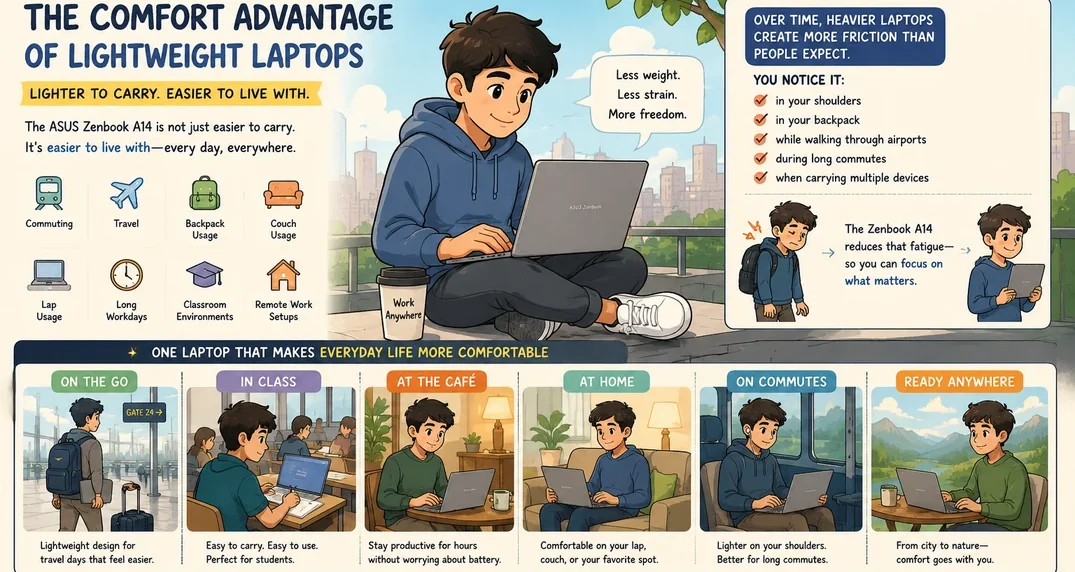
This is something many reviews almost completely ignore.
But once you use a lightweight laptop daily, you start realizing how much comfort actually matters.
The Zenbook A14 is not just easier to carry.
It is easier to live with.
That affects:
Over time, heavier laptops create more friction than people expect.
You notice it:
The Zenbook A14 reduces a lot of that fatigue.
And because the Snapdragon platform also runs cooler and quieter, the overall experience feels more relaxed during long sessions.
That combination:
creates a laptop that feels extremely comfortable for prolonged daily use.
And honestly, comfort is one of the most underrated parts of laptop ownership.
Fan Noise & Everyday Comfort
One thing many reviews fail to discuss properly is how much comfort matters during daily use.
The Zenbook A14 feels calm.
That may sound strange to say about a laptop, but it matters.
Because of the efficient Snapdragon platform:
That creates a laptop experience that feels less stressful during normal usage.
For:
that quieter behavior becomes surprisingly valuable.
Who Should Buy the ASUS Zenbook A14?
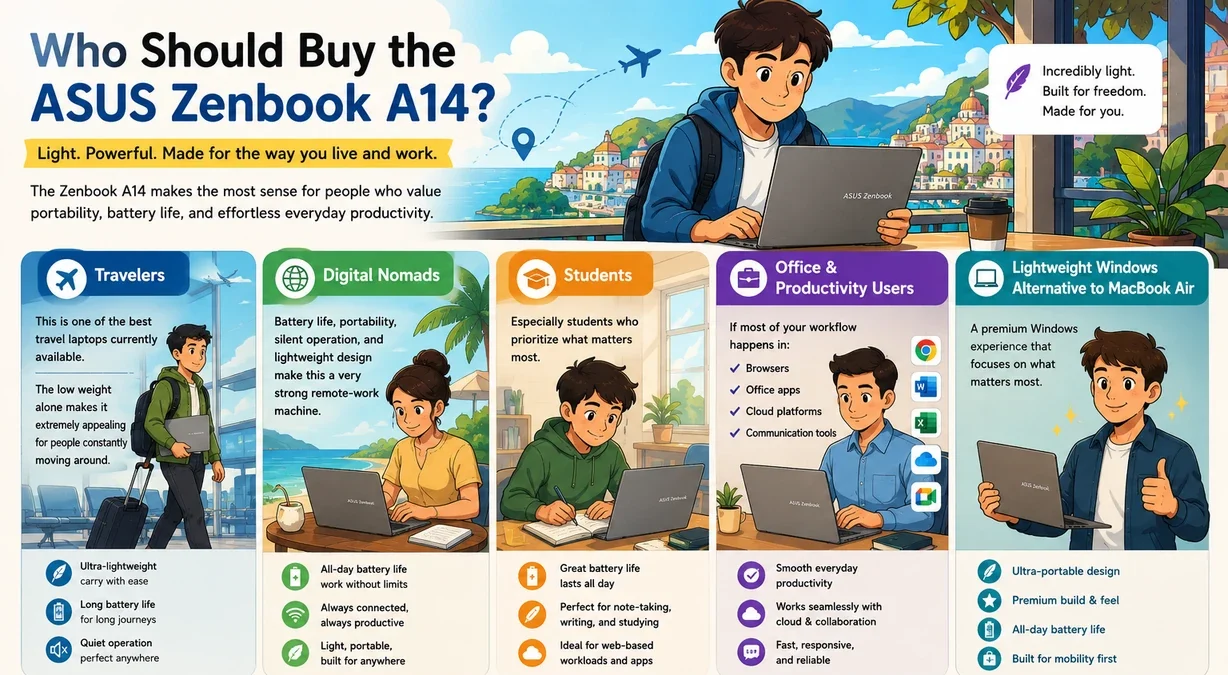
Many of these buyers are also looking for modern business laptops that prioritize portability, battery life, and everyday productivity over raw performance.
🔵 Travelers
This is one of the best travel laptops currently available and arguably one of the best laptops for frequent travelers who prioritize portability, battery life, and mobility.
The low weight alone makes it extremely appealing for people constantly moving around.
🟢 Digital Nomads
Battery life, portability, silent operation, and lightweight design make this one of the best laptops for digital nomads and remote workers who spend a lot of time moving between locations.
🟡 Students
Especially students who prioritize:
🟣 Office & Productivity Users
If most of your workflow happens in:
the Zenbook A14 can feel excellent.
🟠 People Who Want a Lightweight Windows Alternative to the MacBook Air
This is probably one of the strongest Windows alternatives for users prioritizing:
over raw performance.
Why the 32GB RAM Configuration Makes This Laptop More Future-Proof
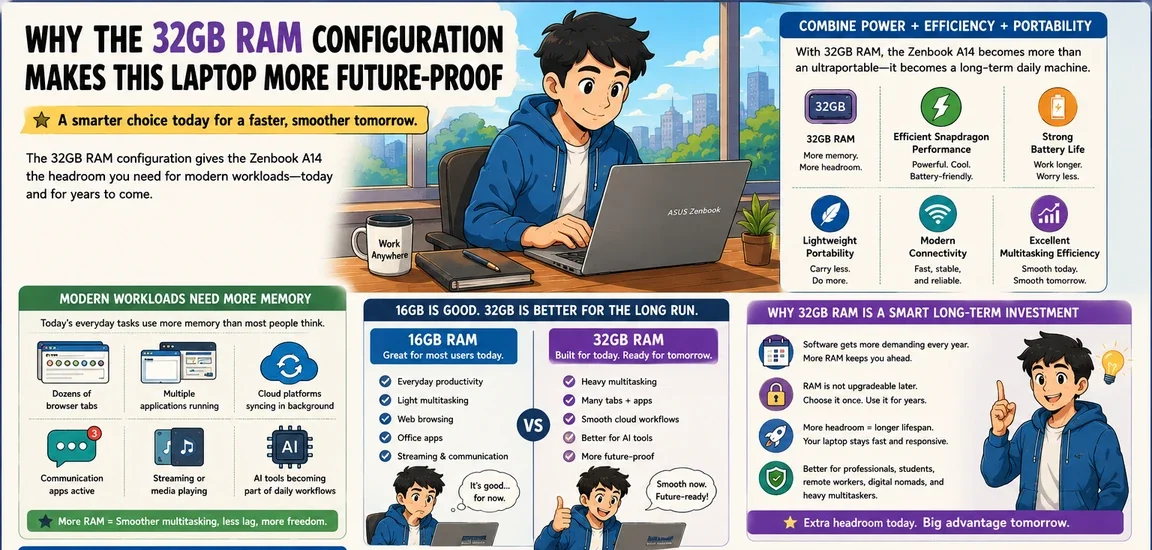
One of the smartest long-term decisions you can make with the Zenbook A14 is choosing the 32GB RAM configuration instead of the 16GB model.
And honestly, this is much more important than many people realize.
A lot of lightweight laptops are designed around portability first, but eventually start feeling limited a few years later because of memory constraints.
The Zenbook A14 avoids that problem surprisingly well with the 32GB option.
Because once you combine:
the laptop starts feeling less like a temporary ultraportable and more like a serious long-term daily machine.
Modern workloads are becoming increasingly memory-heavy.
Even normal users today often have:
And RAM directly affects how smoothly all of that happens together.
The 16GB model is still perfectly good for many users.
But the 32GB configuration takes the Zenbook A14 to another level for multitasking and long-term usability.
Everything feels more comfortable under heavier daily workloads because the system has significantly more breathing room.
And honestly, that extra headroom becomes more valuable every single year as software continues becoming more demanding.
This is especially important because RAM is not upgradeable later.
So choosing 32GB upfront can dramatically extend how long the laptop feels fast, responsive, and modern.
For:
And realistically, if your workflow mostly revolves around:
then the 32GB Zenbook A14 could comfortably last many users for years without feeling outdated.
That is one of the biggest advantages of this laptop that many reviews are not emphasizing enough.
Who Should NOT Buy the ASUS Zenbook A14?
This section is extremely important because not everyone should buy this laptop.
🟢 Gamers
This is not a gaming-focused machine.
🟡 Users Dependent on Specialized Windows Software
Always verify software compatibility before purchasing ARM Windows laptops.
This is critical.
🟣 Heavy Video Editors & High-End Creators
While the laptop can handle lighter creative workloads, users doing:
will likely be better served by more powerful traditional laptops.
🟠 Users Wanting Maximum Performance Per Dollar
The Zenbook A14 focuses heavily on:
not raw performance dominance.
ASUS Zenbook A14 vs MacBook Air
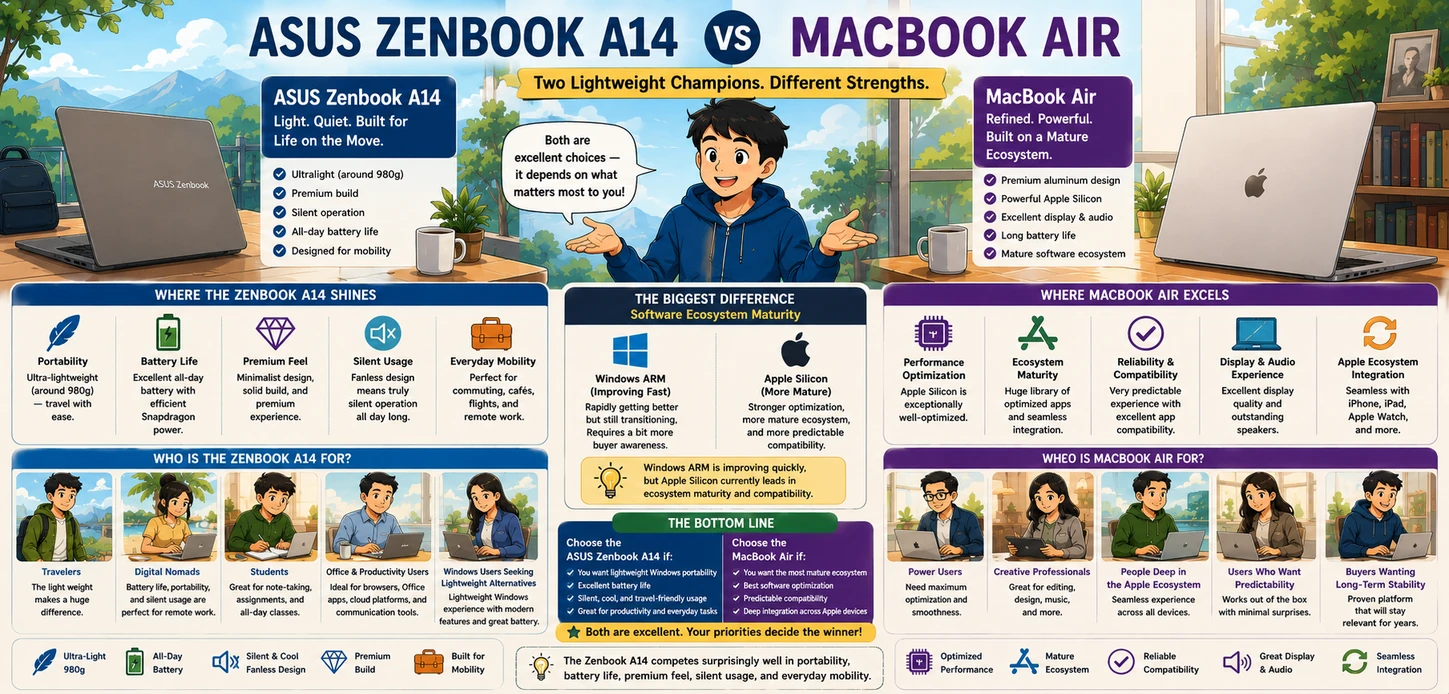
This comparison is unavoidable. If you're considering Apple's ultraportable instead, you may also want to read our MacBook Air Review before deciding.
One thing that surprised me quite a lot after using the Zenbook A14 was just how light it feels compared to the MacBook Air.
On paper, the weight difference may not initially sound dramatic, but in real-world usage the Zenbook A14 genuinely feels noticeably lighter in your hands.
I especially noticed this when:
The MacBook Air already feels portable, but the Zenbook A14 takes that feeling even further.
There were moments where I found myself casually holding the Zenbook A14 in one hand for extended periods without really thinking about the weight at all.
That sounds minor, but over time it changes how naturally the laptop fits into everyday movement-heavy routines.
The laptop starts feeling less like a device you deliberately carry and more like something that simply moves around with you comfortably.
And honestly, this is one of the few Windows laptops that genuinely gave me a similar “effortless mobility” feeling to the MacBook Air while actually feeling even lighter physically.
However, the biggest difference still comes down to software ecosystem maturity.
Apple Silicon currently still has stronger ARM software optimization overall, while Windows ARM is still transitioning.
Most everyday applications worked very well for me on the Zenbook A14, but some apps still occasionally rely on Microsoft’s emulation layer instead of running fully native on the Snapdragon X platform, which can sometimes make the experience feel slightly less optimized compared to a MacBook Air.
Is the ASUS Zenbook A14 Worth Buying?
For the right type of user, absolutely.
The Zenbook A14 succeeds because it focuses heavily on real-world usability instead of trying to win every specification battle.
If your priorities are:
The 32GB RAM configuration especially makes the Zenbook A14 feel much more future-focused than many competing ultraportables because it gives the system far more flexibility for long-term multitasking and evolving workloads.
However, this laptop makes the most sense for users whose workflows align with ARM Windows strengths.
If your daily usage revolves around:
the Zenbook A14 can feel genuinely excellent.
But users dependent on:
should still research compatibility carefully before purchasing.
And honestly, that clarity is important because this laptop is extremely good at what it was designed to do.
It just is not trying to be everything for everyone.
The Zenbook A14 Feels Built for Modern Mobile Lifestyles
Some laptops feel designed around desks.
The Zenbook A14 feels designed around movement.
And honestly, that is probably the best way to describe why this laptop stands out so much.
Everything about it feels heavily optimized for people who spend a lot of time:
The combination of:
creates a laptop that feels unusually well suited for modern mobile lifestyles.
And unlike many thin laptops that sacrifice practicality for appearance, the Zenbook A14 still feels realistic to use daily.
And for people living a true nomadic lifestyle — meaning they are rarely home and constantly moving between locations — the Zenbook A14 genuinely feels capable of becoming their primary and only computer.
That is an important distinction because the Zenbook A14 feels more like a lifestyle desktop replacement rather than a traditional gaming or workstation desktop replacement.
Instead, it feels more like a modern mobility-first desktop replacement designed around:
Especially in the 32GB RAM configuration, the Zenbook A14 starts feeling much more capable long term because the additional memory gives the laptop far more room for heavy multitasking and evolving workloads over the years.
For bloggers, remote workers, digital nomads, and productivity-focused users, this can realistically become the only computer they need for a very long time.
And honestly, that may be one of the most impressive things about this laptop considering how lightweight it actually is.
You are not constantly managing:
Instead, the experience feels simple.
That simplicity becomes one of the laptop’s biggest strengths over time.
In many ways, this may be one of the best Windows laptops currently available for:
who prioritize freedom, portability, and long-term comfort over raw benchmark performance.
Because the Zenbook A14 does not try to dominate every category.
It simply understands its audience extremely well.
Final Verdict
The ASUS Zenbook A14 succeeds because it understands its purpose extremely well.
This laptop is not trying to dominate every category.
Instead, it focuses heavily on:
And honestly, that focus makes it one of the most interesting modern Windows laptops available.
For the right user, this can genuinely become an exceptional daily travel companion.
But the ARM Windows reality still matters.
If your workflow revolves around:
the Zenbook A14 can feel fantastic.
If your workflow depends heavily on specialized software, gaming, or advanced creative workloads, you should research compatibility very carefully before buying.
That honesty is important because this laptop is excellent…
but only when matched with the right type of user.
And for travelers, commuters, students, remote workers, and digital nomads?
The ASUS Zenbook A14 may genuinely be one of the best lightweight Windows laptops and ultralight laptops currently available.
And honestly, that may be the Zenbook A14’s biggest strength:
it quietly removes friction from everyday computing in ways that become harder to give up once you get used to them.
Frequently Asked Questions

❓ 🔵 Is the ASUS Zenbook A14 good for digital nomads?
Yes. In fact, digital nomads are probably one of the best target audiences for this laptop.
The combination of extremely low weight, strong battery life, quieter Snapdragon performance, and excellent portability makes the Zenbook A14 feel genuinely optimized for people constantly moving between locations.
👉 Especially in the 32GB RAM configuration, this can realistically function as a long-term primary laptop for many remote workers, bloggers, and online professionals.
❓ 🟢 Should I buy the 16GB or 32GB ASUS Zenbook A14?
For basic everyday use, the 16GB model is still perfectly good.
However, the 32GB configuration is the much better long-term investment for multitasking, longevity, and heavier daily workloads.
Because the RAM is not upgradeable later, the 32GB model gives the Zenbook A14 significantly more future-proofing for users planning to keep the laptop for many years.
❓ 🟡 Is the ASUS Zenbook A14 good for blogging and remote work?
Yes. Blogging and remote productivity are actually some of the Zenbook A14’s strongest use cases.
The lightweight design, strong battery life, comfortable keyboard, and excellent multitasking capabilities make it extremely practical for people working online daily.
❓ 🟣 Can the ASUS Zenbook A14 run normal Windows apps?
Yes. Most everyday Windows applications work perfectly fine on the Zenbook A14.
However, because this is an ARM-based Snapdragon laptop, some specialized software and older applications may still have compatibility limitations or rely on emulation.
For normal productivity and everyday workflows, though, most users will likely have very few problems.
❓ 🟠 Is the ASUS Zenbook A14 better than the MacBook Air?
That depends on whether you prefer Windows or macOS.
The MacBook Air still has stronger software optimization overall, but the Zenbook A14 competes extremely well in portability, battery life, travel usability, and lightweight everyday comfort.
For users wanting a mobility-focused Windows alternative to the MacBook Air, the Zenbook A14 is one of the strongest options currently available.
❓ 🔵 Is the ASUS Zenbook A14 good for students?
Yes. The lightweight design, long battery life, and comfortable portability make the Zenbook A14 an excellent option for students.
It works especially well for note-taking, writing, online learning, multitasking, and cloud-based school workflows.
❓ 🟢 Is the ASUS Zenbook A14 fanless?
No. The Zenbook A14 is not completely fanless.
However, the efficient Snapdragon platform allows it to run much cooler and quieter than many traditional Windows laptops during normal everyday use.
❓ 🟡 Is the ASUS Zenbook A14 future-proof?
Yes — especially the 32GB RAM configuration.
The combination of modern Snapdragon hardware, strong multitasking capability, excellent battery efficiency, and lightweight portability makes the Zenbook A14 feel very well suited for long-term productivity-focused usage.
❓ 🟣 Does the ASUS Zenbook A14 Trackpad Include a NumberPad?
No. The ASUS Zenbook A14 does not include ASUS’s illuminated NumberPad feature built into the touchpad.
Instead, the Zenbook A14 uses a large modern precision touchpad focused more heavily on:
Some ASUS Zenbook models — including the ASUS Zenbook 14 UX425 — do include ASUS’s integrated illuminated NumberPad feature built directly into the trackpad itself.
However, ASUS chose a different direction with the Zenbook A14 by prioritizing a cleaner mobility-focused experience instead of adding the virtual numeric keypad overlay.
The Zenbook A14 still includes a high-quality precision touchpad with gesture support, but it does not transform into a virtual illuminated numpad.